Roborock Xiaomi Vacuum Robot Disassembly: How to Open the Casing (Step-by-Step Guide)
Автор: Rybnibor
Загружено: 2025-09-24
Просмотров: 168
Ready to dive deep into your Roborock or Xiaomi robot vacuum? Whether you're fixing a stubborn Error 4 cliff sensor, replacing the main fan, cleaning out a hidden clog, or just curious about the internals, this video is your ultimate guide to safely opening the entire casing.
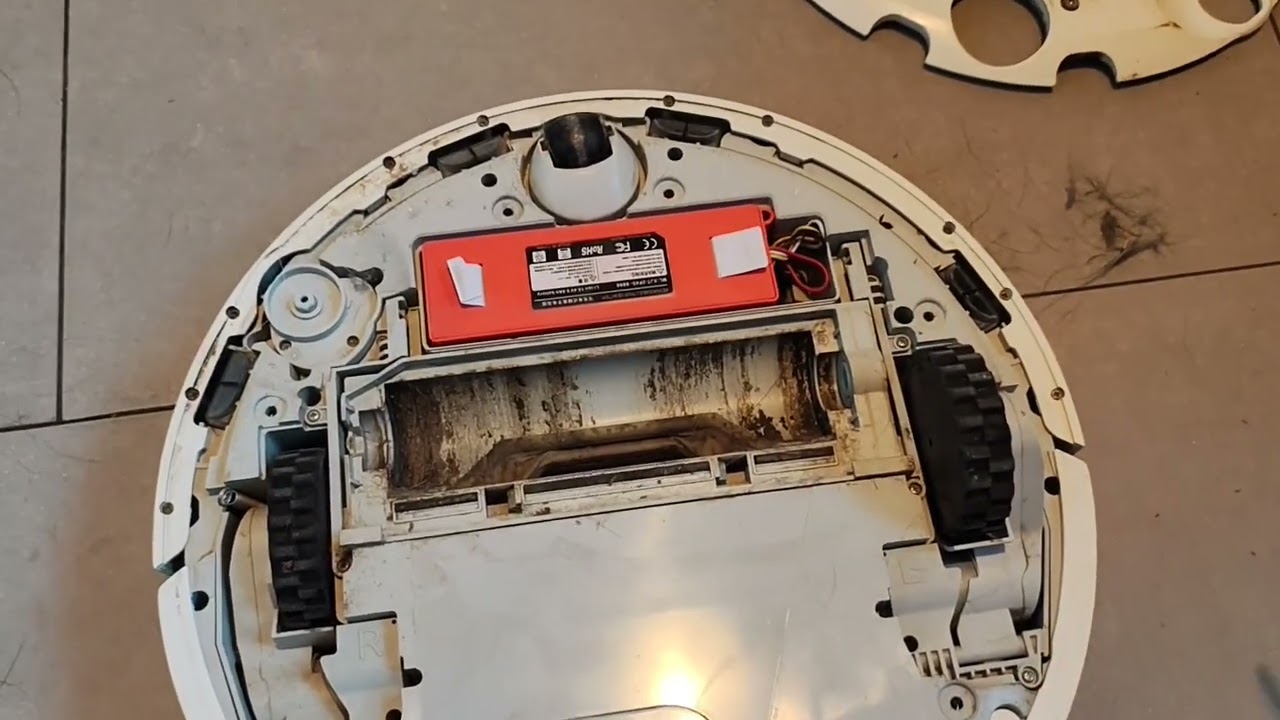
Most repair guides only show you how to remove the top lid, but this tutorial goes further! I'll walk you through every screw, clip, and hidden panel needed to separate the top and bottom halves of the chassis.
What You Will Learn in This Video:
Tools Needed (Screwdrivers, spudgers, etc.)
Step-by-Step Guide for removing the main shell.
Safety Tips for disconnecting batteries and cables.
Accessing Internal Components like the main PCB, laser sensor (LDS), fan, and battery.
Why Open the Casing?
A full disassembly is often necessary for advanced repairs that simple cleaning can't solve, including:
Deep Cleaning the main suction fan or dust channels.
Replacing the LDS (Laser Distance Sensor).
Replacing the main PCB (Motherboard).
Thoroughly cleaning/replacing a faulty cliff sensor (the main cause of Error 4).
Battery replacement (on some models).
This Disassembly Applies to:
This method is demonstrated on a Roborock S5, but the disassembly process is nearly identical for many other models, including:
Xiaomi Mi Robot Vacuum
Roborock S4, S5, S6, S7 (Minor variations may occur)
Other similar Dreame models.
Hashtags
#Roborock #Disassembly #Teardown #Xiaomi #RobotVacuum #TechRepair #DIY #Fix #SmartHome #VacuumRepair #OpenCasing #InternalParts #RoborockRepair #XiaomiVacuum #LDS #PCB #StepByStep
Доступные форматы для скачивания:
Скачать видео mp4
-
Информация по загрузке:



