How to Create 3D Core Diagram in PowerPoint
Автор: Presentation Process
Загружено: 2017-03-28
Просмотров: 19331
How to Create 3D Core Diagram in PowerPoint
This diagram consists of concentric circles. You can create this graphic easily in any version of PowerPoint.
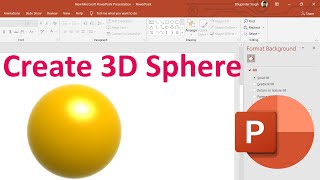
To start, create the 3D Core ( or 3D Earth diagram) you need a 3D Sphere.
3D Sphere Graphic video link : • How to create 3D Sphere in PowerPoint - (3...
Link to 25 Creative Presentation Ideas Mini Training:
===========================
https://www.presentation-process.com/...
Link to PowerPoint Mastery Training
===========================
https://shop.presentation-process.com... we create the 3D Core Diagram as follows:
Cut the 3D Sphere Graphic and paste it back as a picture
This helps is edit the graphic as a picture.
Crop the 3D sphere picture so you get the base of the core diagram
For the concentric circles, we insert SmartArt graphic called Stacked Venn diagram. Add 1 more circle by hitting enter in the SmartArt Text area.
Convert the SmartArt graphic to shapes
Ungroup the circles and align them in the middle
To convert the concentric circles to the core diagram, alternate red and white fill in the circles. It should look like a target graphic.
Group the resulting graphic and resize it to make it smaller and easier to work with.
In Format shapes, effects, 3D Rotation add Perspective relaxed to the circle.
Place the cropped sphere next to the concentric circles
Adjust the Y rotation of the concentric circles, you can tilt it to appear more natural.
That's it! Your 3D core diagram graphic is ready.
You can add shadow and reflection the graphic to make it more complete.

Доступные форматы для скачивания:
Скачать видео mp4
-
Информация по загрузке: