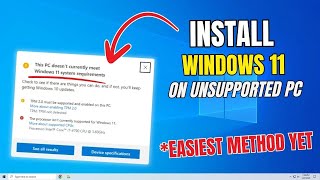
How to Upgrade to Windows 11 25H2 Without Data Loss (3 Official Methods | 2025 Guide)
Автор: Tech Simplified
Загружено: 2025-11-21
Просмотров: 78
In this video, I’ll show you three official Microsoft-approved methods to upgrade to Windows 11 on supported PCs without losing your files, apps, or settings.
These are all in-place upgrades, meaning nothing is wiped — your data remains intact.
We’ll cover:
⦁ Windows Update Method
⦁ Windows 11 Installation Assistant
⦁ Windows 11 ISO In-Place Upgrade
No third-party tools, no hacks — only official methods from Microsoft.
🔵 Method 1: Upgrade Using Windows Update
⦁ Easiest and most common upgrade path
⦁ Keeps files, apps, and settings intact
⦁ Automatic background installation
⦁ May roll out in phases
🔵 Method 2: Windows 11 Installation Assistant
⦁ Manual trigger for upgrade when Windows Update doesn’t show
⦁ Official Microsoft tool
⦁ Checks compatibility automatically
⦁ Guides you through installation
🔵 Method 3: Windows 11 ISO (In-Place Upgrade)
⦁ Best for offline installs or advanced control
⦁ Requires downloading and mounting ISO
⦁ Run setup.exe and choose “Keep personal files and apps”
⦁ Ideal when other methods fail
📌 Related Video:
How to Download Windows 11 ISO File — Link in description
👍 If this video helped you:
✔ Like
✔ Subscribe
✔ Share with others who need help upgrading to Windows 11
Thanks for watching!
🔥 Hashtags
#windows11 #windows11upgrade #windows11installation #windowsupdate #windows11iso #microsoftwindows11 #windows11tutorial #techhowto #windows11guide #pcupgrade #InPlaceUpgrade #windows10towindows11 #techtips

Доступные форматы для скачивания:
Скачать видео mp4
-
Информация по загрузке: