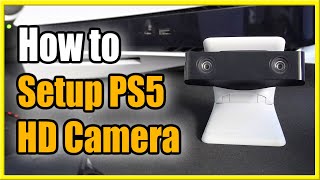
How to Setup Green Screen with PS5 Camera for Live Streams! (Remove Background!)
Автор: YourSixStudios
Загружено: 2021-11-25
Просмотров: 17864
Do you want to know how to setup a green screen or a blue screen on your PS5, so you can live stream, record video? It's very simple to use the PS5 HD Camera and add a chroma key. To add the chroma key effect, go to the settings on the home screen and scroll down to captures and broadcasts. Then go to clip masking and add a chroma key. This will cut out the background on your PS5 camera. You will need a flat plain green screen or blue screen. ps5 camera background removal!
...
Twitter: https://twitter.com/YourSixStudios?la...
Twitch: / yoursixstudios
Discord: https://discordapp.com/invite/VfKrjC7
Instagram: / yoursixstudios -
((( Subscribe to my LIVE STREAMING )))
((( Gaming Channel "YourSixGaming" )))
/ @yoursixgaming ...
((( Subscribe to my ADVENTURE CHANNEL )))
((( Travel, Cameras & More "YourSixAdventures)))
/ @yoursixadventures ...
Twitter: https://twitter.com/YourSixStudios?la...
Twitch: / yoursixstudios
Discord: / discord
Instagram: / yoursixstudios -
((( Subscribe to my LIVE STREAMING )))
((( Gaming Channel "YourSixGaming" )))
/ @yoursixgaming ...
((( Subscribe to my ADVENTURE CHANNEL )))
((( Travel, Cameras & More "YourSixAdventures)))
/ @yoursixadventures

Доступные форматы для скачивания:
Скачать видео mp4
-
Информация по загрузке: