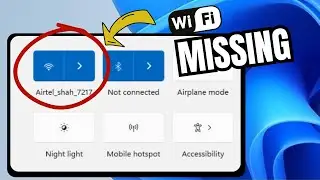
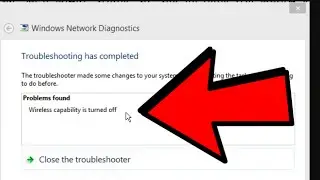
How To Fix Wireless Capability is Turned Off WiFi Settings Not Showing in Windows
Автор: eTech Support
Загружено: 2025-06-01
Просмотров: 97
🛠️ How To Fix "Wireless Capability is Turned Off" | WiFi Settings Not Showing in Windows
Are you facing the issue where WiFi settings are missing or seeing the error "Wireless Capability is Turned Off" on your Windows laptop or PC? Don’t worry — this video will guide you through multiple working solutions to get your wireless connection back up and running in minutes!
✅ This video covers:
How to enable wireless capability in Windows 10/11
Fix missing WiFi option from Settings and Taskbar
How to turn on WiFi adapter using Device Manager
Resetting network settings using Command Prompt
Disabling power saving features that affect WiFi
Using Windows Network Troubleshooter effectively
🔧 Applies to:
Windows 11
Windows 10
Windows 8.1 / 8
🎯 Common errors you can fix with this video:
Wireless capability is turned off
WiFi option not showing in settings
No WiFi networks available
Internet not working on laptop
Wireless adapter disabled
💡 Whether you're using a Dell, HP, Lenovo, ASUS, Acer, or any other brand of Windows laptop — these solutions are universal and easy to follow.
📌 Don’t forget to:
👍 Like the video
💬 Comment with your questions
🔔 Subscribe for more tech tutorials
#WiFiNotWorking #WirelessCapabilityOff #Windows10 #Windows11 #WiFiFix #NetworkProblem #TechTutorial
Доступные форматы для скачивания:
Скачать видео mp4
-
Информация по загрузке:
![Как исправить отсутствие Wi-Fi в настройках | Не отображается Wi-Fi [Windows 11]](https://image.4k-video.ru/id-video/vhD70Ektfwo)