How to Create a Filterable Image Gallery with HTML, CSS & JavaScript – Easy Step-by-Step Guide
Автор: EgbonTech
Загружено: 2025-05-14
Просмотров: 326
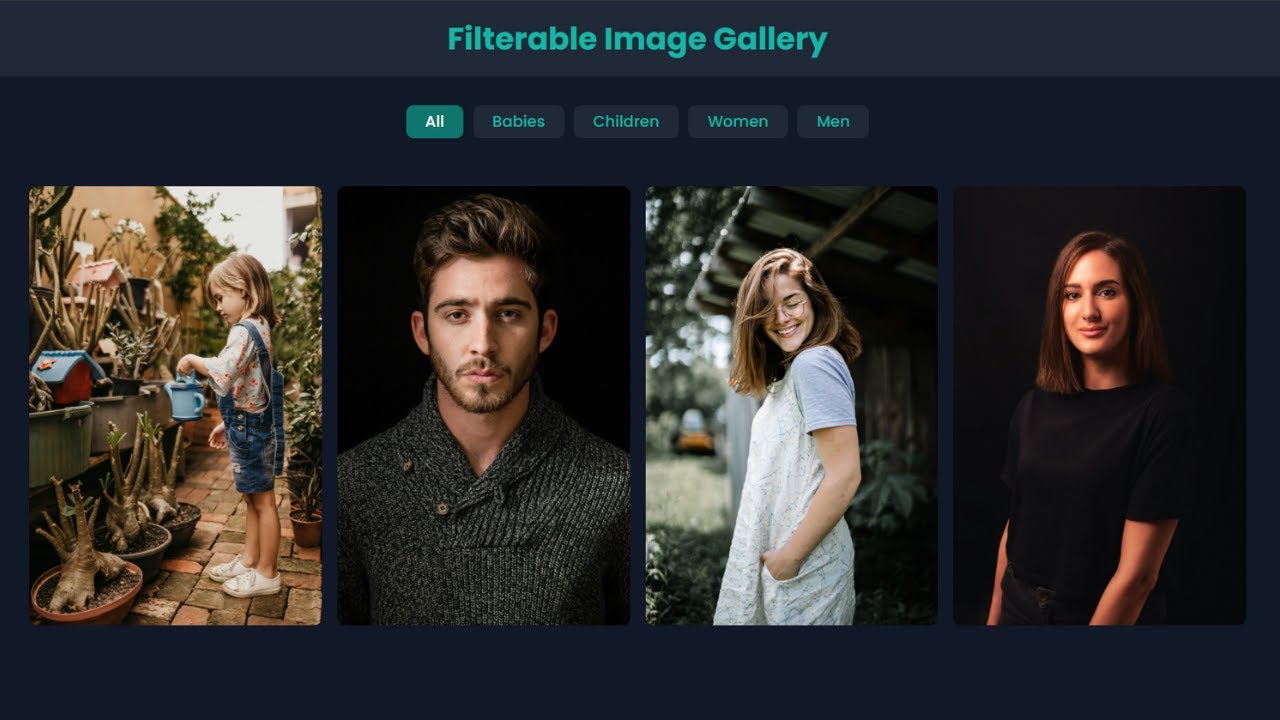
In this tutorial, you'll learn how to build a filterable image gallery using HTML, CSS, and JavaScript — step by step! This beginner-friendly project will teach you how to filter images by category (like Babies, Children, Men, and Women) using simple JavaScript logic and responsive CSS grid layout.
💡 Whether you're learning web development or building your portfolio, this image gallery project is a great way to practice DOM manipulation, event listeners, and responsive design.
📚 What You'll Learn:
HTML structure for image galleries
CSS Grid for responsive layout
JavaScript filtering with data attributes
How to toggle image categories with buttons
🧠 Perfect for beginners who want to create a portfolio, product gallery, or personal project using just HTML, CSS, and vanilla JavaScript.
Chapters
00:00 - Intro
00:10 - Project Overview
01:30 - Setting Up the Project
02:00 - Creating the Page Header
03:58 - Building the Filter Buttons
08:42 - Creating & Styling the Image Gallery
13:30 - Adding JavaScript for Interactivity
25:11 - Outro
📸 Image Credits: All images used in this project are sourced from unsplash.com Huge thanks to the amazing photographers for their free, high-quality photos.
👍 If you enjoyed this video, don’t forget to Like, Comment, Subscribe, and Share to support the channel!
Доступные форматы для скачивания:
Скачать видео mp4
-
Информация по загрузке: