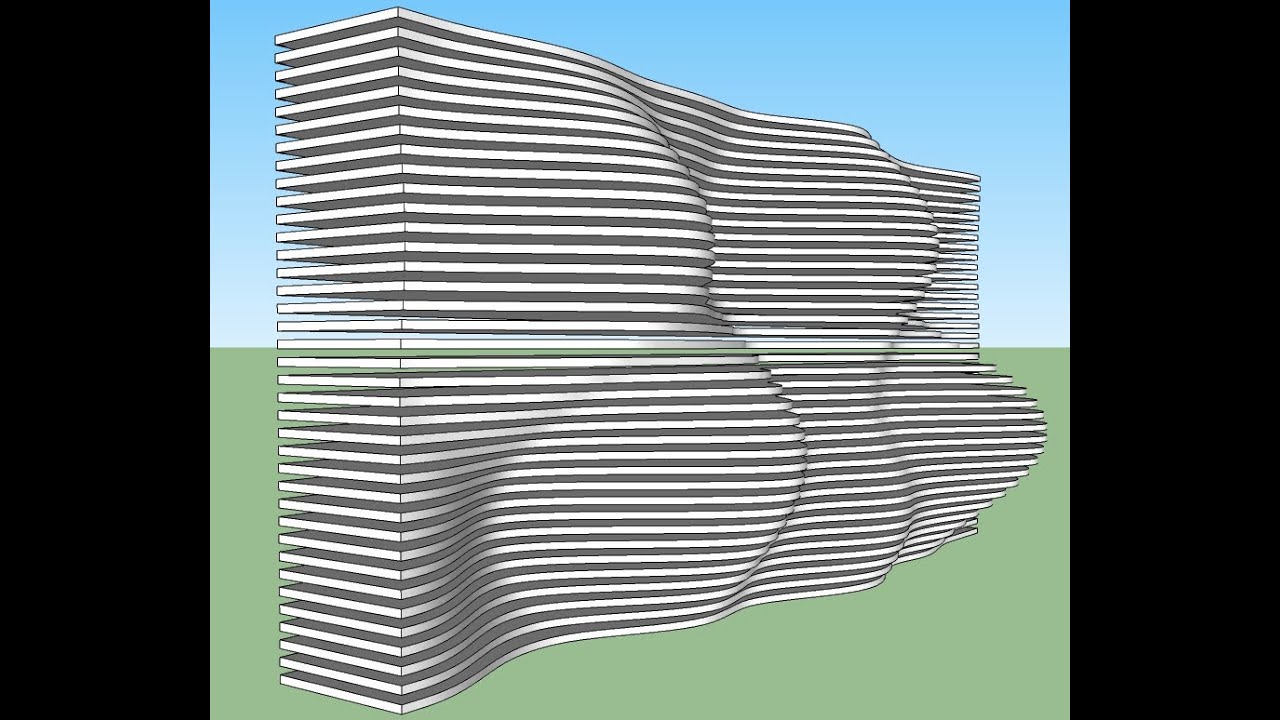
How do I create parametric 3D with SketchUp
Автор: ND_Game
Загружено: 2016-09-04
Просмотров: 117675
Download Other 3D Model and 3D scene : https://gumroad.com/hendar
Contact Gmail : Karata3d@gmail.com
View account IG : / karata3d
Whatsapp : +628992455625
Indonesia
Tips Agar hasil Render Realistic Vray Sketchup :
1. Aturlah sifat zat masa material,
Sebagai contoh material pantualan, coba kamu bayangkan pada material pantulan di sekelilingmu,
jika nilai 1 adalah high gloss maka nilai 0 adalah tidak berpantulan, dan dari situlah gunakan firasatmu
jika pantulan nilai (?) high gloss, semi gloss, semi dof dan dof dan kamu bayangkan nilainya.
dan saya yakin pasti render realistic.
2. Camera, sebenarnya pada pengaturan camera inilah yang paling di utamakan agar hasil visual kalian maksimal.
untuk penganturan ini saya hanya melakukan perubahan pada nilai ISO, F-NUMBER, dan Shutter Speed.
Untuk Lebih jelasnya kamu cari fungsi pada nama tersebut, mungkin yang lebih sering memainkan camera digital
akan lebih mudah memahaminya.
3. High Resolusi Image Texture, tentu ini sangat berpengaruh pada hasil visual kamu.
lebih baik gunakan ukuran pixel diatas 1000.
4. VFB Channel, ini sering saya gunakan pada tutoal saya, karna memaksimal hasil image saya 100%.
VFB Channel ini mempunyai setiap 1 gambar mempunya peran nya masing-masing yaitu effect image.
sebagai contoh, jika hasil visual kalian kurang bagus pada reflection kamu, kamu cukup gunakan VFB channel reflection
tentu ini gunakan pada saat proses photoshop.
5. Photoshop, pada no. 4 yang sudah saya jelaskan VFB Channel ini diaplikasikan di Photoshop, tidak hanyak itu saja,
gunakan juga effect brightness, color correction, level dan lain lain
6. dari no. 1 sampai 5 semoga ini adalah cara saya agar mendapatkan hasil yang sangat memuaskan. tentu percaya diri jika hasil Ok.
semoga tips saya ini berguna.
Jika masih Bingung atau ada yang di tanyakan, ajukan pertanyaan memalui email saya dibawah ini.
Terima kasih,
salam dari
KARATA
English
Tips for Realistic Vray Sketchup Render Results :
1. Arrange the properties of material mass material,
As an example of fashion material, try to imagine the reflection material around you,
if the value of 1 is high gloss then the value of 0 is not reflected, and that's where you use your hunch
if the reflection value (?) high gloss, semi gloss, semi matte and matte and you imagine the value.
and I'm sure that rendering is realistic.
2. Camera, actually this camera setting is the most important so that your visual results are maximum.
for this delivery I only made changes to the ISO, F-NUMBER, and Shutter Speed values.
For more details, you are looking for a function in the name, maybe the one who plays the digital camera more often
it will be easier to understand it.
3. High Resolution Image Texture, of course this is very influential on your visual results.
better use pixel size above 1000.
4. VFB Channel, I often use this on my tuto, because it maximizes my 100% image results.
This VFB Channel has every 1 image that has its own role, namely the image effect.
for example, if your visual results are not good in your reflection, you can just use VFB channel reflection
of course this is used during the photoshop process.
5. Photoshop, at no. 4 I have explained this VFB Channel is applied in Photoshop, not only that,
also use brightness, color correction, level and other effects
6. from no. 1 to 5 hopefully this is my way to get very satisfying results. certainly confident if the results are OK.
I hope my tips are useful.
If you are still confused or someone is asking, ask a question via my email below.
Thank you,
greetings from
KARATA
Доступные форматы для скачивания:
Скачать видео mp4
-
Информация по загрузке: