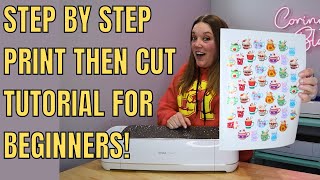
Easy Cricut Print then Cut Full Page Hack | Maximize Your Pages - 2024 Quick Step by Step Tutorial
Автор: Dinosaur Mama
Загружено: 2024-08-28
Просмотров: 21012
In this video, I'll show you how to maximize your Cricut Print Then Cut size, so you can create full-sheet stickers or large custom designs for your projects. We'll dive into Cricut Design Space settings, tweak some options, and use a few tricks to get the most out of your printable materials. Whether you're customizing a composition book or making your own stickers, this method will help you make the most of your paper. Don't forget to check out the blog for more details and grab some free SVG files! Happy crafting!
Full Blog Post & Free SVG Files: https://www.dinosaurmama.com/post/cri...
Part Two | Full Sheet Stickers: • How to Make Full Sheet Stickers with Cricu...
Chapters:
0:00 Intro
1:09 Cricut Design Space Set Up
2:14 Adjusting the Print Page Size
3:48 Sending to Your Printer
5:03 Seeing the Full Print & Mat Set Up/Cut
6:21 Adding Our Custom Sticker on Our Book
7:12 Thank You and Goodbye
Materials Used:
Sticker Paper: https://amzn.to/3XkhiMi
Printer: https://amzn.to/3yWfzmV
Don’t forget to check out my blog for more free SVG files and tutorials. If you enjoyed this video, hit the like button, share it with your friends, and subscribe for more DIY projects!
Follow on socials:
Insta: / dinosaurmam. .
Tiktok: / dinosaurmamasvg
Pinterest: / dinosaur. .
Facebook: / dinosaurmamasvg

Доступные форматы для скачивания:
Скачать видео mp4
-
Информация по загрузке: