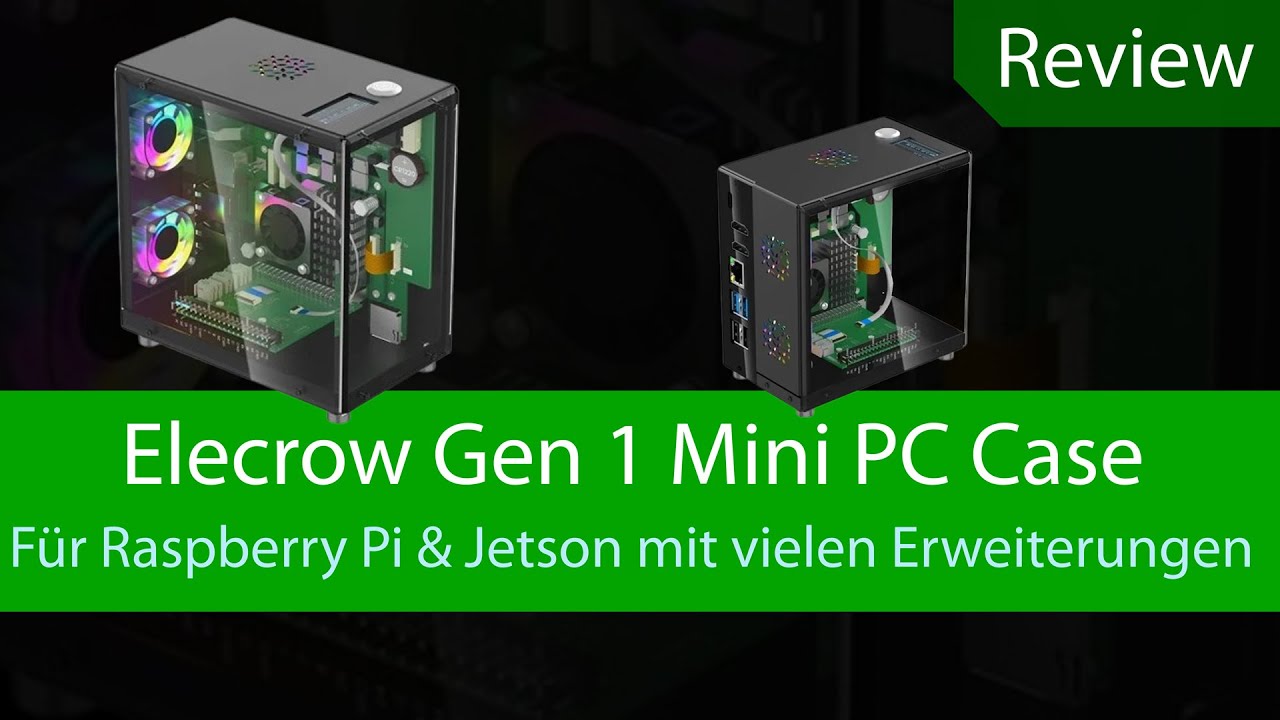
Review - Elecrow Pitower Gen 1 Mini PC Case mit etlichen extras ( nvme, hdmi, RGB-Lüfter...)
Автор: IT Tweak
Загружено: 2025-11-29
Просмотров: 264
#elecrow #case #raspberrypi #jetson #casemod
Wir stellen euch in dem Video das "Elecrow Gen 1 Mini PC Case" vor, dass mit etlichen Extras den Raspberry Pi erweitert.
Elecrow Webseite: https://www.elecrow.com
Pitower Gen 1: https://www.elecrow.com/small-mini-pc...
Wiki: https://www.elecrow.com/small-mini-pc...
Github Dateien: https://github.com/Elecrow-RD/Small-M...
Anleitung für das Display und Shutdown:
----------------------------------------------------------------------------------
Copy the file to the designated location.
Place rpi5-oled.py in /usr/local/bin/rpi5-oled.py
Place rpi5-oled.service in /etc/systemd/system/rpi5-oled.service
Place shutdown.py in /usr/local/bin/shutdown.py
Place rcshutdown.service in /etc/systemd/system/rcshutdown.service
Place rc.shutdown in /etc/rc.shutdown
Run the command.
sudo chmod +x /usr/local/bin/rpi5-oled.py
sudo apt-get update
sudo apt-get install python3-psutil python3-smbus
sudo systemctl enable rpi5-oled.service
sudo systemctl start rpi5-oled.service
sudo chmod 777 /usr/local/bin/shutdown.py
sudo chmod 777 /etc/systemd/system/rcshutdown.service
sudo chmod 777 /etc/rc.shutdown
sudo systemctl start rcshutdown.service
sudo nano /boot/firmware/config.txt
Add "dtoverlay=i2c0" to the last line of config.txt, save it, and then restart the system.
----------------------------------------------------------------------------------------------------------------------
Weitere Anleitungen findet Ihr in meinem Kanal oder auf meiner Internetseite.
Socials, Kanäle und Webseite
-----------------------------------------------------------------------------------------------
IT Tweak Webseite: https://www.ittweak.de
IT Tweak Tutorials: / @ittweakde
IT Tweak Games: / @ittweaktv6747
Twitch: / ittweak_tv
Discord: / discord
Доступные форматы для скачивания:
Скачать видео mp4
-
Информация по загрузке:


