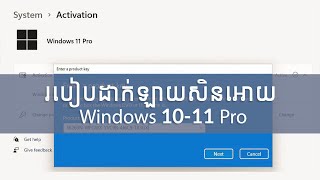
របៀបដាក់ឡាយសិនវីនដូរ១១ប្រូ | How to Activate Windows 11Pro
Автор: ចំរើន Printing
Загружено: 2025-07-26
Просмотров: 112
របៀបដាក់ឡាយសិនវីនដូរ១១ប្រូ | How to Activate Windows 11Pro by key License #windows
Here's a more detailed
1. Open Activation Settings:
Click the Start button, then select Settings - System - Activation.
2. Check Activation Status:
Under Windows, see if your copy is already activated or if it needs activation.
3. Enter a Product Key:
If your copy isn't activated, select "Change product key" and enter the 25-character product key you received when you purchased Windows.
4. Purchase a Digital License:
If you don't have a product key, Please contact : t.me/+vSxhELFaJgVkZjg1 to purchase a digital license for Windows 11 Pro through the Microsoft Store.
You can also watch this video for a step-by-step guide on activating Windows 11

Доступные форматы для скачивания:
Скачать видео mp4
-
Информация по загрузке: