Популярное

Музыка Кино и Анимация Автомобили Животные Спорт Путешествия Игры Юмор

Интересные видео

2025 Сериалы Трейлеры Новости Как сделать Видеоуроки Diy своими руками

Топ запросов

смотреть а4 schoolboy runaway турецкий сериал смотреть мультфильмы эдисон
dTub
Скачать

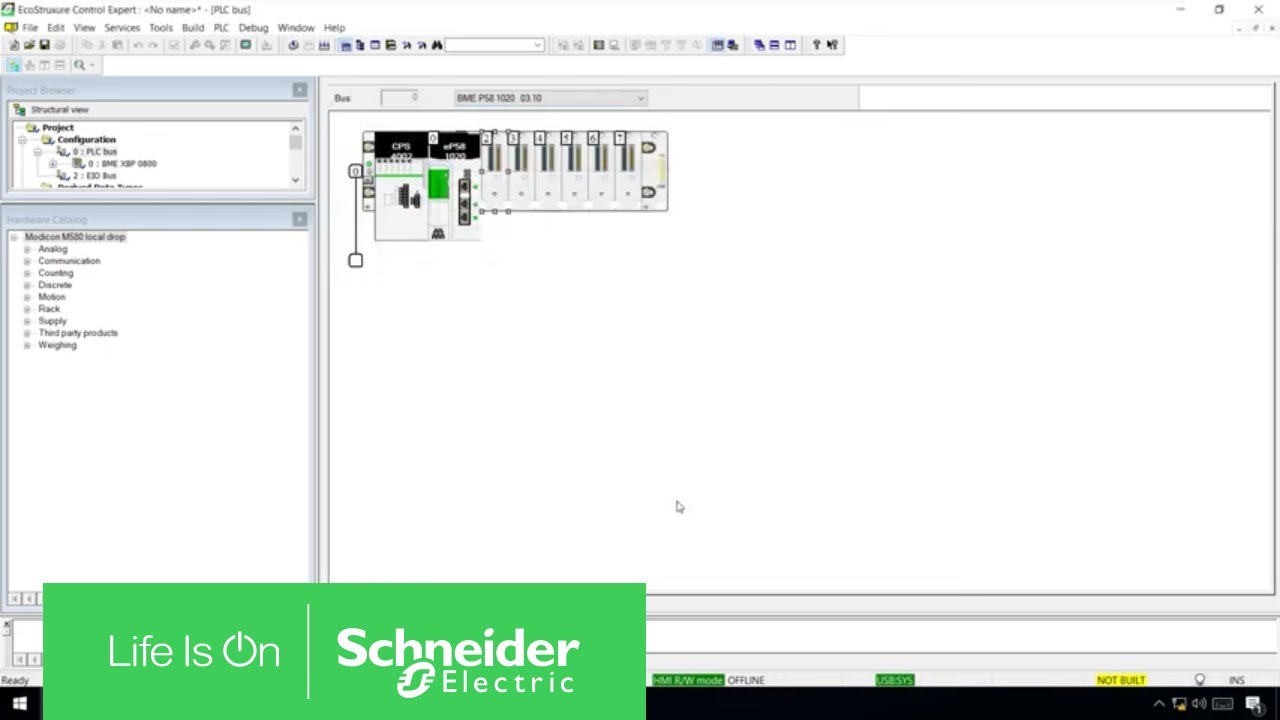
How to Configure an IPsec CyberSecure Communication with M580 | Schneider Electric Support

Автор: Schneider Electric

Загружено: 2020-09-17

Просмотров: 2855

Описание:

This video shows how to create a cyber secure Ethernet communication between the BMENOC0301/0311 and other devices, like applications running on a virtualized environment (OPC Server, SCADA, Historian, etc.). ►Learn More: http://spr.ly/SchneiderElectric/produ...

►How can I Reduce Vulnerability to Cyber Attacks: https://download.schneider-electric.c...

EcoStruxure Control Expert version 14.1
Modicon M580 version 3.10
BMENOC0301 version 2.18

►Windows Firewall Configuration
Step 2: netsh advfirewall set global mainmode mmkeylifetime 2879min,0sess
Step 3: netsh advfirewall set global mainmode mmsecmethods dh2048_variable
Edit dh2048_variable in the command according to your Enable DH 2048 selection:
unchecked: dhgroup2:aes128-sha256
checked: dhgroup14:aes128-sha256
Step 4: netsh advfirewall consec add rule name="BMENOC0301_rule_xyz"
endpoint1=xxx.xxx.xxx.xxx/xx endpoint2=yyy.yyy.yyy.yyy/yy
action=requireinrequireout description="DH2048&confidentiality_state"
mode=transport enable=yes profile=public type=static protocol=any
auth1=computerpsk auth1psk=YourPskGoesHere qmpfs=none
qmsecmethods=confidentiality_variable
Edit the command:
BMENOC0301_rule_xyz: Modify to meet your application needs.
xxx.xxx.xxx.xxx/xx: Use the IP address of the Control Expert host (PC or device).
yyy.yyy.yyy.yyy/yy: Use the IP address of the BMENOC301/311 module
DH2048&confidentiality_state: Modify this description to reflect the state of the
check boxes (Enable DH 2048, Enable Confidentiality).
YourPskGoesHere: Use the pre-shared key that is configured in the DTM.
Edit confidentiality_variable according to your Enable Confidentiality selection:
unchecked: ah:sha256+1440min
checked: esp:sha256-aes128+1440min

►Click here to subscribe to Schneider Electric: https://www.youtube.com/c/schneiderel...

Connect with Schneider Electric:
►Global Website: http://spr.ly/SchneiderElectric
►Discover our Services: http://spr.ly/SE-Services
►Visit our Blog: http://spr.ly/SE-Blog
►Job Opportunities: http://spr.ly/SE-Careers
►LinkedIn:   / schneider-electric  
►Facebook:   / schneiderelectric  
►Twitter:   / schneiderelec  
How to Configure an IPsec CyberSecure Communication with M580 | Schneider Electric Support

Поделиться в:

Доступные форматы для скачивания:

Скачать видео mp4

  • Информация по загрузке:
Скачать аудио mp3

Похожие видео

How to Use MSP0200 to Create a Movement Profile | Schneider Electric Support

How to Use MSP0200 to Create a Movement Profile | Schneider Electric Support

How to Configure the Diagnostic DDT of the BMENUA0100 OPC UA Server | Schneider Electric Support

How to Configure the Diagnostic DDT of the BMENUA0100 OPC UA Server | Schneider Electric Support

Programando o M580 - READ_VAR - Leitura 3x

Programando o M580 - READ_VAR - Leitura 3x

SHAZAM Top 50🏖️Лучшая Музыка 2026🏖️Зарубежные песни Хиты🏖️Популярные Песни Слушать Бесплатно2026 #10

SHAZAM Top 50🏖️Лучшая Музыка 2026🏖️Зарубежные песни Хиты🏖️Популярные Песни Слушать Бесплатно2026 #10

НАЧАЛО ГОДА СУЛИТ НОВЫЕ ПРОБЛЕМЫ YOUTUBE, GOOGLE и отключения ИНТЕРНЕТА. Разбираем важное

НАЧАЛО ГОДА СУЛИТ НОВЫЕ ПРОБЛЕМЫ YOUTUBE, GOOGLE и отключения ИНТЕРНЕТА. Разбираем важное

Windows 11 26H1 - Microsoft снова переобулись?

Windows 11 26H1 - Microsoft снова переобулись?

COMMUNICATION ETHERNET/IP ENTRE AUTOMATES M580 ET M221 DE SCHNEIDER ELECTRIC

COMMUNICATION ETHERNET/IP ENTRE AUTOMATES M580 ET M221 DE SCHNEIDER ELECTRIC

UnityPro DATA_EXCH Modbus Funktion 23 | Schneider Electric

UnityPro DATA_EXCH Modbus Funktion 23 | Schneider Electric

M580 Integration with AVEVA System Platform Using OPC UA | Schneider Electric Support

M580 Integration with AVEVA System Platform Using OPC UA | Schneider Electric Support

Chillout Lounge Radio - 24/7 Live | Smooth Background Music | Focus, Study, Work, Sleep, Meditation

Chillout Lounge Radio - 24/7 Live | Smooth Background Music | Focus, Study, Work, Sleep, Meditation

Маска подсети — пояснения

Маска подсети — пояснения

Summer Mix 2025 🍓 Best Popular Songs 2025 🍓Faded, Supergirl, A Sky Full Of Star, Perfect Cover

Summer Mix 2025 🍓 Best Popular Songs 2025 🍓Faded, Supergirl, A Sky Full Of Star, Perfect Cover

Setting Up DTM Browser for ModbusTCP Communication | Schneider Electric Support

Setting Up DTM Browser for ModbusTCP Communication | Schneider Electric Support

How to configure Engineering link in Filtered mode (https) in Control Expert by using Modicon M580 ?

How to configure Engineering link in Filtered mode (https) in Control Expert by using Modicon M580 ?

MODBUS RS-485 COMMUNICATION | SCHNEIDER ELECTRIC | MASTER SLAVE CONFIGURATION | PLC TO PLC COMMU.

MODBUS RS-485 COMMUNICATION | SCHNEIDER ELECTRIC | MASTER SLAVE CONFIGURATION | PLC TO PLC COMMU.

Schneider Electric | Diferencias entre comunicación RIO y DIO

Schneider Electric | Diferencias entre comunicación RIO y DIO

Ibiza Summer Mix 2025 🍓 Best Of Tropical Deep House Music Chill Out Mix 2024 🍓 Chillout Lounge

Ibiza Summer Mix 2025 🍓 Best Of Tropical Deep House Music Chill Out Mix 2024 🍓 Chillout Lounge

Modicon M580 ePAC | Industrial Automation Academy

Modicon M580 ePAC | Industrial Automation Academy

Беспроводной приемник Schneider Electric ZBRRA. Сброс настроек к заводским настройкам. Настройка ...

Беспроводной приемник Schneider Electric ZBRRA. Сброс настроек к заводским настройкам. Настройка ...

How to Connect M580 CPU & HMIGXU5512 in Simulation Mode | Schneider Electric Support

How to Connect M580 CPU & HMIGXU5512 in Simulation Mode | Schneider Electric Support

© 2025 dtub. Все права защищены.


  • Контакты
  • О нас
  • Политика конфиденциальности


Контакты для правообладателей: infodtube@gmail.com