How to Get Azure Blob Storage Content in FileInputStream in Java
Автор: vlogize
Загружено: 2025-09-23
Просмотров: 5
Learn how to retrieve content from Azure Blob Storage and return it as `FileInputStream` in your Spring Boot application, allowing file downloads in the browser.
---
This video is based on the question https://stackoverflow.com/q/63523766/ asked by the user 'Indrajeet Singh' ( https://stackoverflow.com/u/8351318/ ) and on the answer https://stackoverflow.com/a/63539630/ provided by the user 'Indrajeet Singh' ( https://stackoverflow.com/u/8351318/ ) at 'Stack Overflow' website. Thanks to these great users and Stackexchange community for their contributions.
Visit these links for original content and any more details, such as alternate solutions, latest updates/developments on topic, comments, revision history etc. For example, the original title of the Question was: How to get azure blob storage content in FileInputStream in Java?
Also, Content (except music) licensed under CC BY-SA https://meta.stackexchange.com/help/l...
The original Question post is licensed under the 'CC BY-SA 4.0' ( https://creativecommons.org/licenses/... ) license, and the original Answer post is licensed under the 'CC BY-SA 4.0' ( https://creativecommons.org/licenses/... ) license.
If anything seems off to you, please feel free to write me at vlogize [AT] gmail [DOT] com.
---
How to Get Azure Blob Storage Content in FileInputStream in Java
When building APIs, particularly with Spring Boot, developers often encounter the challenge of serving files stored in blob storage directly to clients. This involves efficiently retrieving the content from Azure Blob Storage and formatting it for download in a browser. In this guide, we will tackle this problem head-on and provide a clear solution to return a FileInputStream without saving the file locally.
The Problem
Imagine you have developed an API that needs to serve files stored in Azure Blob Storage. The main goal is to enable a file download when the user hits a specific endpoint. However, the challenge lies in effectively retrieving the file without writing it to the local storage of your server or environment.
You might think of using methods like blob.downloadToFile(), but as the name suggests, this method saves the file directly to the filesystem, which is not our requirement. We do have the blob.download() method that retrieves an OutputStream, but directly returning an OutputStream isn't feasible either.
The crux of the challenge is how to convert this OutputStream into a FileInputStream without creating a physical file on the machine hosting the API.
The Solution
In this section, we will provide a solution using Spring Boot that allows you to download files from Azure Blob Storage efficiently. The approach involves using ByteArrayOutputStream to first capture the file's contents in memory and then converting it to an InputStream for the response.
Steps to Implement the Solution
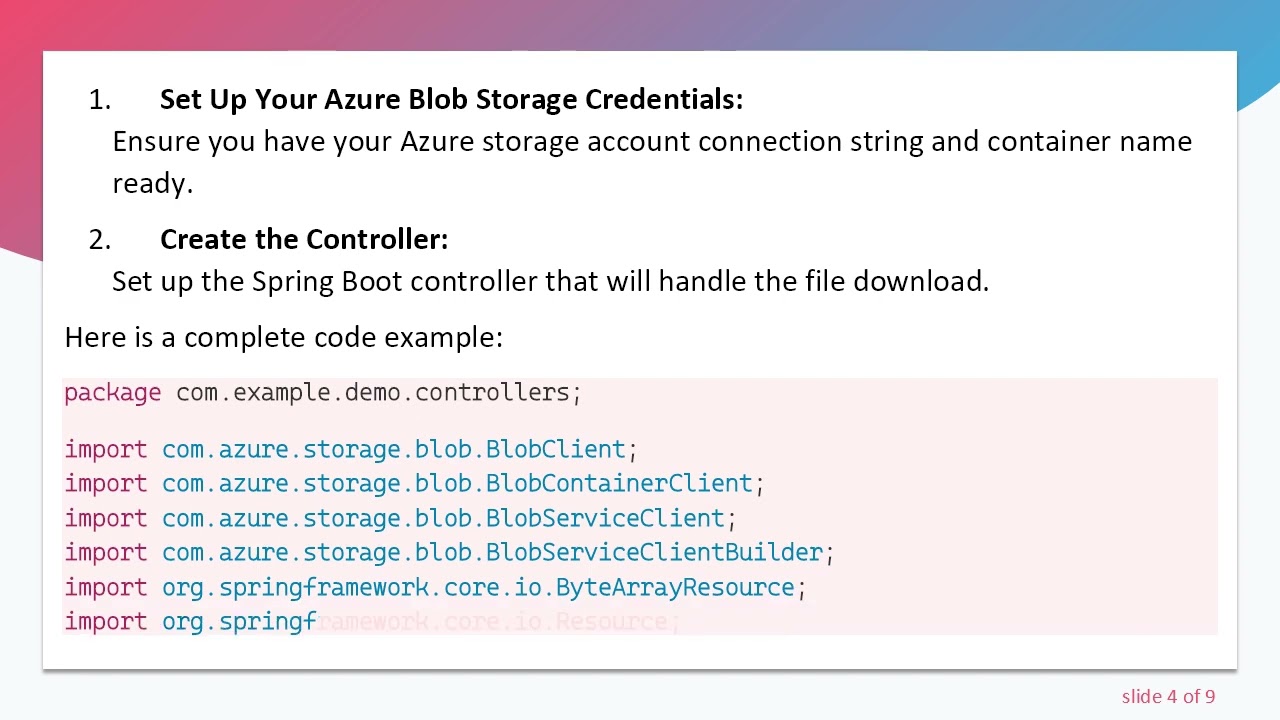
Set Up Your Azure Blob Storage Credentials:
Ensure you have your Azure storage account connection string and container name ready.
Create the Controller:
Set up the Spring Boot controller that will handle the file download.
Here is a complete code example:
[[See Video to Reveal this Text or Code Snippet]]
Explanation of the Code:
BlobServiceClient: This is used to connect to your Azure Blob Storage account.
BlobContainerClient: Helps access the specific container where your files are stored.
BlobClient: Represents the specific blob (file) you wish to download.
ByteArrayOutputStream: A stream that holds the file's content temporarily in memory.
ByteArrayInputStream: Converts the data from the ByteArrayOutputStream for the response entity.
HttpHeaders: Used to add necessary headers indicating content disposition for file download.
Conclusion
By following this method, you will be able to successfully retrieve and serve files stored in Azure Blob Storage as a downloadable content response in your Spring Boot application. This approach avoids saving files to disk, thereby enhancing efficiency and cleanliness in your code.
Now you are equipped to implement file downloads from Azure Blob Storage in your applications. For any questions or further assistance, feel free to reach out!
Доступные форматы для скачивания:
Скачать видео mp4
-
Информация по загрузке:
![[Episode 56] Uploading Files to Azure Blob Storage from Spring Boot](https://image.4k-video.ru/id-video/v_4z8wzel8Y)