RUGONE Xever 7 Pro – How to Enable 120Hz Refresh Rate
Автор: HardReset.Info
Загружено: 2026-01-15
Просмотров: 5
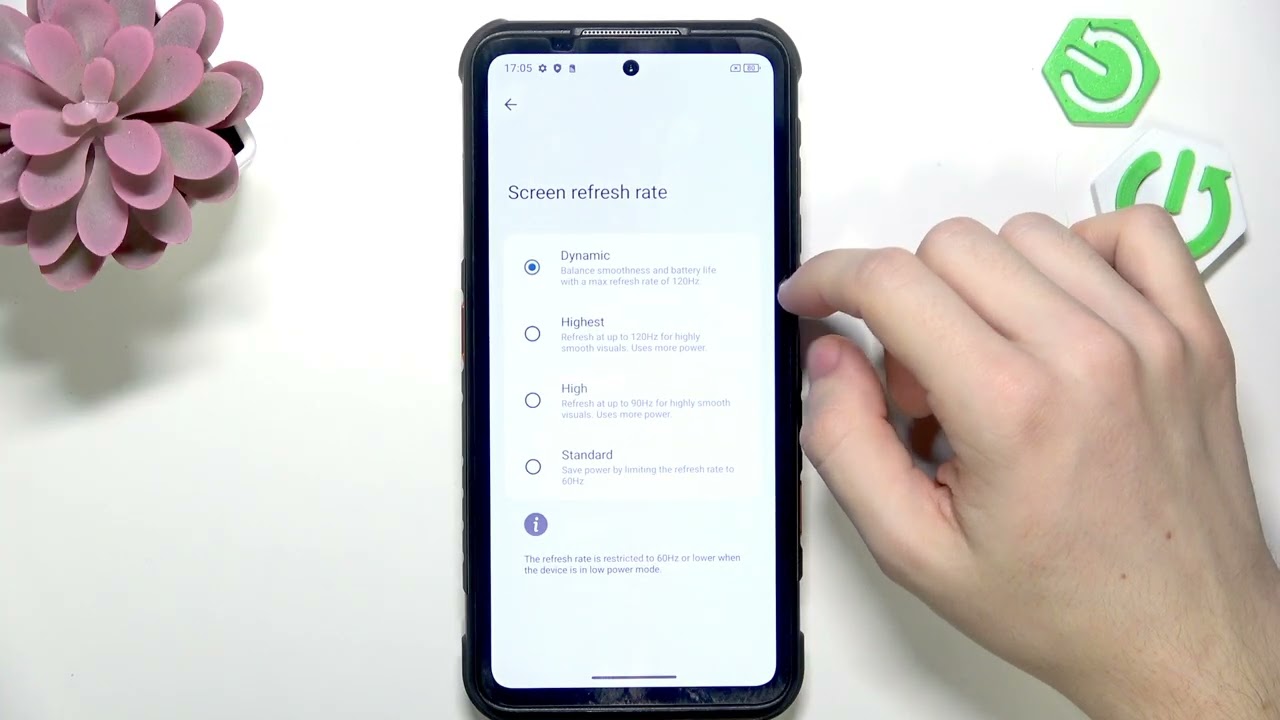
In this video I show you how to enable the 120Hz refresh rate on the RUGONE Xever 7 Pro AMOLED display and where to find the setting. You will learn how to open Settings → Display → Screen refresh rate, what Dynamic mode does, and the difference between Standard (60Hz), High (90Hz) and Highest (120Hz). I also explain the battery trade-offs of forcing a static 120Hz and give my recommendation so you can balance smoothness and power usage on your phone.
How to enable 120Hz refresh rate on RUGONE Xever 7 Pro?
How to change screen refresh rate on RUGONE Xever 7 Pro AMOLED?
How to switch from Dynamic to 120Hz on RUGONE Xever 7 Pro?
0:00 Intro – What this video covers
0:10 Open Settings and go to Display
0:27 Find "Screen refresh rate" option
0:47 Dynamic vs Standard/High/Highest explained
1:06 Recommendation and closing notes
#RUGONE #Xever7Pro #120Hz #AMOLED
Find out more:
https://www.hardreset.info/devices/ru...
Follow us on Instagram ► / hardreset.info
Like us on Facebook ► / hardresetinfo
Tweet us on Twitter ► / hardreseti
Support us on TikTok ► / hardreset.info
Use Reset Guides for many popular Apps ► https://www.hardreset.info/apps/apps/
Доступные форматы для скачивания:
Скачать видео mp4
-
Информация по загрузке: