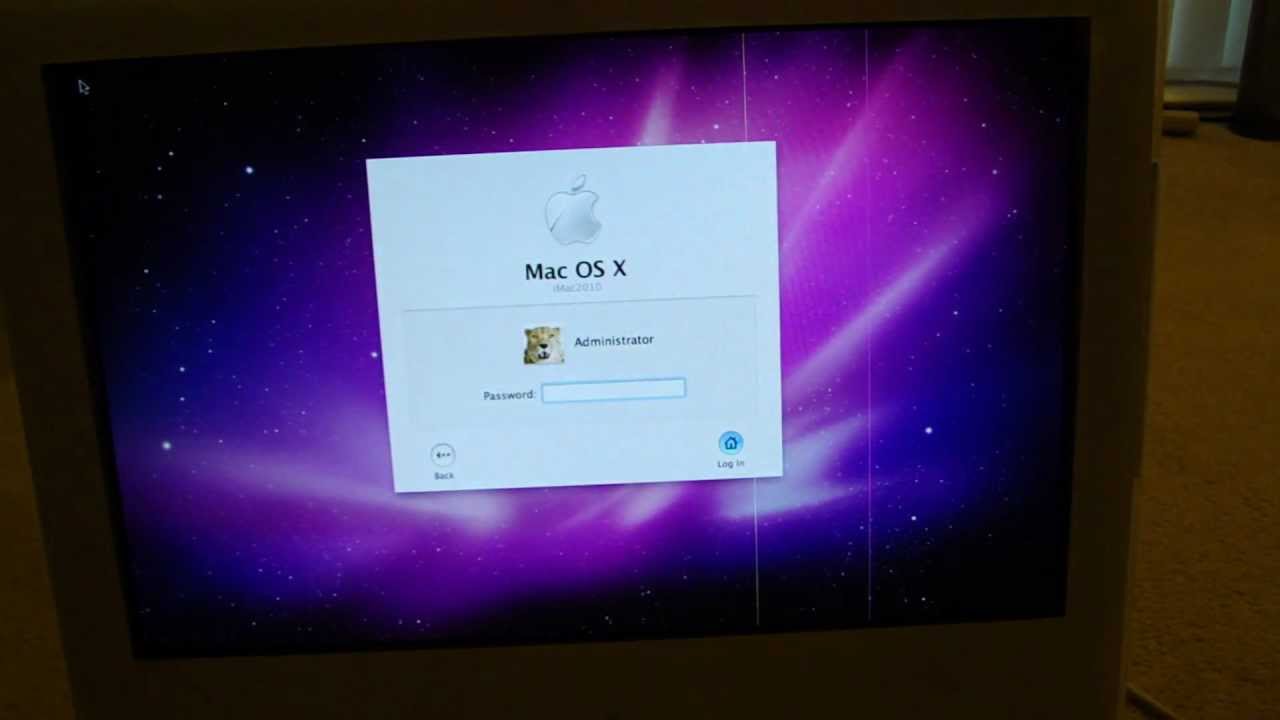
How to fix vertical lines on iMac
Автор: SergSpace
Загружено: 2013-02-04
Просмотров: 181404
The models of 2006 iMAC's have this problem. They are not the only ones, though.
I tried to find a fix for that on YouTube but never could find. Many people had different theories but not many offered a solution. Someone suggested to bind the edge of the screen to see if there is loosen contacts. It does not work in this case.
The only fix for this problem is a display replacement.
If you going to look for display make sure you looking for correct model.
My MAC model is 5.1 and based on 2.16Ghz Intel CPU and compatible display type for it is: LM 171W02 (TL)(B2)
I've seen at one of forums, that someone found out that the (TL)(B1) is compatible also.
If you going to try another type of display, the OS X may not boot. Apple is not a PC and does not have a BIOS, stuffed with variety of controllers.
Anyway, if these lines appear from moment of power on, it would be a display fault, not a logic board or Video Card, not a capacitors (nevertheless you should to replace bad ones). If you buy refurbished one you have a chance on successful replacement, otherwise if some one just pulled his own display and sells it through e-bay, you may bump at the same problem in a while.
PS
The LM 171W02 (TL)(B2) is not in the compatibility list of UniMac V4. So this kind of adapter, looks like, will not solve the problem.
Доступные форматы для скачивания:
Скачать видео mp4
-
Информация по загрузке: