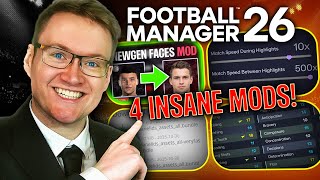
Face Pack Install Guide Football Manager 26 | How to get real player faces into FM26
Автор: WorkTheSpace
Загружено: 2025-11-04
Просмотров: 66234
Install face packs effortlessly in Football Manager 26 with this step-by-step guide. With FM26 featuring player faces across the game more than ever, this graphic mod for Football Manager 2026 is essential!
--------------------------------------
How to install a facepack
1) Download your desired facepack online
SortItOutSI Cut Out Faces Megapack - https://sortitoutsi.net/graphics/1/do...
To download the torrent file you need to create an account and click on download complete pack, the torrent file will be on the bottom of the next page.
As outlined in the video you may want a torrent client for downloading this pack. Below is the one I personally use, if you're on Mac I suggest doing your own research into the best client for you.
qbittorrent download - https://www.qbittorrent.org/download.php
2) Copy the downloaded rar/zip file to your FM26 graphics folder. (create the folder if it doesn't exist)
For Windows users, move to:
C:\Users\USERNAME\Documents\Sports Interactive\Football Manager 26\graphics
For Mac users there's 2 possible locations, move to:
Macintosh HD\users\USERNAME\Documents\PUBLIC\Sports Interactive\Football Manager 26\graphics.
OR
Macintosh HD\users\USERNAME\Documents\Sports Interactive\Football Manager 26\graphics
3) Extract the contents on the downloaded file to the graphics folder with WinRAR. This should leave you with a new folder in your graphics folder containing your face pack player faces.
Download Winrar: http://www.rarlab.com/download.htm
Win-Rar Install Guide: • How to download and install Win-Rar to unz...
4) Restart Football Manager

Доступные форматы для скачивания:
Скачать видео mp4
-
Информация по загрузке: