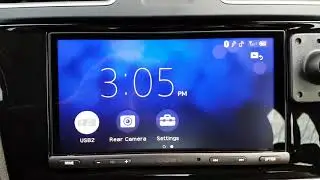
2017 WRX Limited Stereo Upgrade - Pioneer AVH-4200 NEX Installation
Автор: Boost & Shutter
Загружено: 2018-04-18
Просмотров: 53030
Installation of a Pioneer AVH-4200 NEX head unit in my 2017 WRX Limited. I cover the things that ended up taking me the most time. This video is meant as a reference. It is a long video so I will link to every section below. Even if you end up getting a pre-made harnesses this video can tell you what the harnesses are doing. Every installation will be different so use this as a guide. I also go over in detail how I figured out certain problems in the install so there are some good car audio tips sprinkled throughout. This video could have easily been two hours long so I didn’t include things I thought were common sense.
COMPONENTS USED (affiliate links):
Pioneer AVH-4200NEX Head Unit: https://amzn.to/2NIHHwb
Other Head Unit I considered (less expensive but similar) Pioneer AVH-2330NEX: https://amzn.to/2vqIQ7C
Double Din Dash Kit: https://amzn.to/2H8W1j7
Antenna Adapter: https://amzn.to/2HGiqBf
MicroBypass: https://amzn.to/2HJPFUe
12V to 6V Converter: https://amzn.to/2JSvCDM
Maestro SW: https://amzn.to/2qGkK3a
Metra Harness: https://amzn.to/2Hc18uQ
28 Pin Harness: https://amzn.to/2HJrLbG
Solution for HDMI and USB (I will be installing this): https://amzn.to/2JUDZil
WRX Speaker Upgrade:
Tweeters: http://amzn.to/2Cgw3To
Door Speakers: http://amzn.to/2sxagaL
If you click and browse through the above links you might come across some pre-made harnesses that may simplify this install. I enjoy this kind of work and I wanted full control of my install, plus I wanted to learn more about my car so I did all of the work myself.
How to Remove Stereo • How to Remove 2015+ WRX Stereo
Pioneer AVH-4200 NEX Unboxing and Features Overview • Pioneer AVH-4200 NEX Unboxing, Features, a...
How to solder simple in-line splice • Alpine KTP-445U Installation and Review in...
LINKS TO SPECIFIC POINTS IN VIDEO:
Overview of Components Used 01:43
Stock Head Unit Overview 02:37
Video Behind Stock Head Unit and Connectors Discussion 03:04
-Power/Speaker Pin-out 03:16
-28 Pin Connector Pin-out 03:34
-What is a Telematics Unit and why you Should Care 04:39
Main Harness and How to Retain Factory Functionality 05:51 -----Micro Bypass 06:52
-Maestro SW 08:43
-12V to 6V Stepdown Converter 10:44
How to Program Maestro SW Unit to Retain Steering Wheel Controls 13:11
How to Wire and Retain the Stock Backup Camera 16:24
-Camera connector pin-out 16:38
-Step-down converter connections 19:27
Reverse Wire Discussion and Final Overview 32:05
How to Wire Front Speakers if you Have a Telematics Unit 20:13
How I figured out the Wires (for the inquisitive) 21:29
How I figured out the Polarity of Speakers 23:58
Just SHOW me the wires! 26:28
Where I Placed the Microphone 28:01
Final Harness Overview 29:04
-Why I Couldn’t Retain Stock USB 31:14
-FM Antenna adapter discussion 33:10
-Where I placed Maestro Unit 34:33
How to Wire and Retain Car’s AUX Port 35:06
Final Thoughts 38:58
For more content:
→ Become a subscriber: / @akqjtn (it’s free!)
→→Check out my MERCH! →→ https://boostshutter.myspreadshop.com
→→ https://www.amazon.com/shop/boostshutter This is my personally curated list of fantastic car products. Many of these you can see in my YouTube videos. Be sure to read the comments to see why they made the list!
→ Follow me on Instagram: / boostandshutter
→ Follow me on Facebook: / boostandshutter
→ Follow me on Twitter: / boostshutter
Above all, Thanks for Watching!!
INFO ABOUT CAMERA: The only thing supplying power to the stock camera is the 12v to 6V step-down converter which is connected to the reverse wire. This means the camera will ONLY turn on when the car is in reverse. I did it like this on purpose for 2 reasons: 1) I don’t have a need to manually turn on the camera, and 2) I don’t think that converter is really designed to be always on. In my brief tests it got warm after a bit of use. I don’t want it to burn up on me in the future so I simply connected it to the reverse wire so it only turns on briefly while the car is in reverse as designed. If you need the ability to turn the camera on manually (when the car is not in reverse) instead of going to that reverse wire you need to plug in to a source that provides a constant 12V like the accessory wire or REM OUT on the HU.
INFO ABOUT MICROBYPASS: This device simulates the actions that you must take in order for the Pioneer to know you are parked and not driving (it is more than simply being in park). Some of you might wonder why not just connect that parking wire to a constant 12V source so that the unit always thinks the car is in park but that will not work as the Pioneer requires a sequence of events (pulses) which the microbypass simulates.

Доступные форматы для скачивания:
Скачать видео mp4
-
Информация по загрузке: