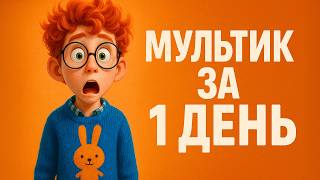
Animate Your ChatGPT/Ghibli Images for FREE
Автор: The Future Factors AI
Загружено: 2025-05-24
Просмотров: 2072
Animate Your ChatGPT/Ghibli Images for FREE
🌀 Turn Your ChatGPT Images into Animated AI Videos — Studio Ghibli Style + Talking Avatars!
Have you been experimenting with AI image generation using ChatGPT? Maybe you’ve made a Studio Ghibli-style portrait of yourself or played with Pixar or Lego-style prompts. But what if I told you... those images don’t have to stay still?
In this step-by-step tutorial, I’ll walk you through how to animate your ChatGPT images for FREE using the latest AI tools — no paid subscriptions, no technical skills needed.
Whether you're a content creator, marketer, educator, or just curious about AI tools, you’ll learn how to:
Add motion to your static AI images 🏃♂️
Generate AI voiceovers that sound human 🎙
Create meme-style clips, talking avatars, or fully animated videos 🎬
🔧 TOOLS & LINKS (You can get started for free - each tool offers free credits + No Install Required)
ChatGPT (Image Generator) → https://chat.openai.com
Create high-quality, stylized character images using prompt-based AI image generation.
Viggle AI (Motion Transfer Animation) → https://viggle.ai
Apply movements from existing videos to your static image—great for short-form content.
ElevenLabs (Realistic AI Voice Generator) → https://elevenlabs.io
Generate natural-sounding voices and turn your text into voiceovers with incredible realism.
Hydra (AI Lip Sync + Avatar Gestures) → https://www.hedra.com
Bring your AI characters to life with synced lip movements and customizable gestures.
CapCut Dreamina (Auto Avatar Animation) → https://dreamina.capcut.com
Instantly animate avatars with audio input—great for quick social media videos and marketing.
Kling AI (Advanced Talking Avatar Generator) → https://www.kl.ai
Create expressive, prompt-driven character animations with customizable gestures and lip sync.
📺 CHAPTERS – WATCH EXACTLY WHAT YOU NEED
00:00 – Intro: Take Your ChatGPT Images to the Next Level
00:12 – Animate ChatGPT Images Using Free AI Tools
00:28 – Step 1: How to Generate a Character Image with ChatGPT
00:43 – Prompt Ideas for Pixar, Studio Ghibli, Lego & More
00:50 – Step 2: How to Animate Static AI Images
01:01 – 🎭 Meme-Style Animations (Viggle AI Tutorial)
01:08 – Upload Image, Select Template, Match Movement
01:56 – Output Example & Demo
02:03 – 🗣 Create Talking Avatars with AI Voices (ElevenLabs + Hydra)
02:19 – Convert Text to Voice with ElevenLabs
02:48 – Sync Voice & Image with Hydra’s AI Avatar Generator
03:26 – Add Gestures Using Prompts + Motion Settings
04:51 – 🎬 Auto-Animation with CapCut Dreamina
05:00 – Upload Image + Voice & Let AI Animate for You
05:18 – Use for Reels, TikToks, Shorts, and Educational Videos
05:36 – 👑 Premium Gesture Control with Kling AI
05:56 – Upload Character Image, Add Prompts, Lip Sync Speech
06:28 – Build Consistent AI Characters with Studio-Quality Output
07:03 – 🔥 How to Use These Animated AI Videos
07:18 – For Social Media, Marketing, Online Courses & More
🔍 Who is this video for?
This guide is perfect for:
YouTubers & Short-Form Content Creators
Digital Marketers & Brand Designers
Instructional Designers & eLearning Developers
Coaches & Consultants creating explainer videos
Anyone exploring generative AI for storytelling
These tools give you a competitive edge by automating hours of animation, voice work, and design in just minutes.
💬 Let’s talk in the comments!
Which tool are you trying first — Viggle, ElevenLabs, Hydra, CapCut, or Kling AI? I'd love to hear how you're planning to use these!
✅ Subscribe for more tutorials like this that help you work smarter.

Доступные форматы для скачивания:
Скачать видео mp4
-
Информация по загрузке: