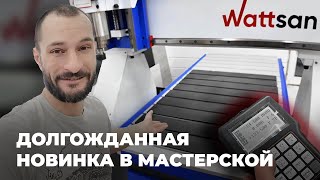
How to setup ROTARY DEVICE for CNC ROUTER | Wattsan M1 1313 | 4-Axis CNC: Step-by-Step Guide
Автор: Wattsan
Загружено: 2025-02-27
Просмотров: 7920
Hello, this is Wattsan! If you've been looking for a way to enhance your CNC router precision and versatility, then you're in for a treat. This device is here to bring your milling projects to a whole new level! In this video we used our Wattsan M1 1313 milling machine.
We’ll show you how to connect and configure a rotary module for your machine, turning it into a powerful 4-axis CNC system. Whether you’re using a mini series, A1, M1, or M3 model, we’ll explain which machines are compatible and provide step-by-step instructions for setting up the rotary axis correctly.
Learn more about our Wattsan M1 1313 CNC Router:
https://wattsan.com/product/wattsan-m...
📩 Don’t forget to subscribe to our newsletter for exclusive updates and bonuses!
🔔 Subscribe to stay updated on the latest from Wattsan, and hit the like button if you found this video helpful.
📢 Leave Comments:
Have questions or topics you'd like us to cover next? Drop them in the comments below!
00:00 Hello, this is Wattsan
00:23 What CNC machine will the rotary fit?
01:48 Connection process
04:44 Special milling machine: M1 1325 RD
05:27 Conclusion
05:51 See you next time!
You can also find us on social media
Facebook: / / cncwattsan
Instagram: / / wattsancnc
Now in the Telegram https://t.me/wattsan_official
In case if you have any questions, feel free to contact our custom support
📞 +8613153105797
📞 WhatsApp:
+86 178 6058 0750
📧 [email protected]
#wattsan #rotarydevice #cncrouter #cncmillingmachine

Доступные форматы для скачивания:
Скачать видео mp4
-
Информация по загрузке: