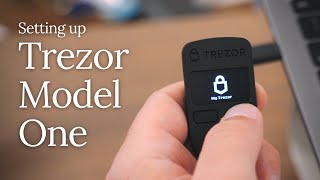
Cryptodad’s Ultimate Crypto Security Guide to Trezor Safe 5 Setup + Multi-Share Backup
Автор: The CryptoDad
Загружено: 2024-08-09
Просмотров: 10433
🌟 Get your very own Trezor Safe 5 Multi-Coin Edition here! 🚀🔒👇
🔗 https://affil.trezor.io/aff_c?offer_i...
🌟 Get your very own Trezor Safe 5 Bitcoin-Only Edition here! 🚀🔒👇
🔗 https://affil.trezor.io/aff_c?offer_i...
🌟 Trezor Keep Metal 20 - Single-Share 🌟
🔗 https://affil.trezor.io/aff_c?offer_i... 🔒💎
🌟 Trezor Keep Metal 20 - Multi-Share 🌟
🔗 https://affil.trezor.io/aff_c?offer_i... 🔒💼
👩🏫 Trezor Expert 20% off 🤑
🔗 https://affil.trezor.io/aff_c?offer_i...
In this tutorial, I guide you through the setup process of the new Trezor Safe 5 cryptocurrency hardware wallet, known for its vibrant color touchscreen and haptic feedback features. But that’s not all—I also demonstrate how to incorporate the Multi-Share Backup feature, a cutting-edge solution for safeguarding your crypto assets.
🛡 *Why Trezor Safe 5?*
Ultimate security with NDA-free EAL 6+ Secure Element
PIN and passphrase protection
1.54” color touchscreen with Gorilla Glass 3 for scratch resistance
Manage 1000s of coins & tokens with Trezor Suite
🔐 *Multi-Share Backup:*
I use a 2 of 3 Multi-Share Backup setup in this video, meaning there are three total backups and a threshold of two shares required for recovery. This advanced method splits your wallet backup into multiple parts, enhancing security by reducing the risk of total loss or theft. You could of course use a higher number of shares and thresholds to increase your redundancy such as 3 of 5 or even 5 of 7! Just keep in mind that this will, of course, increase your complexity.
📚 *What You'll Learn:*
1. *Setting Up Your Trezor Safe 5:* Step-by-step instructions for getting started.
2. *Implementing Multi-Share Backup:* How to create and manage a 3-of-2 Multi-Share Backup to protect your recovery seed.
3. *Best Practices:* Tips on distributing your shares and ensuring long-term security.
Don’t miss out on this essential guide to securing your crypto! Like, share, and subscribe for more in-depth tutorials! 👍🔔
00:00 Introduction
00:27 Preparation
02:04 Unboxing
03:46 Configuration
06:18 Create New Wallet
06:53 Choose Backup Options
08:10 Use Trezor Keep Metal (Optional)
09:38 Record Backups
11:59 Set Pin
12:32 Complete Setup
Join this channel to get access to perks:
/ @cryptodad
Connect with CryptoDad:
🐦 Twitter: / the_cryptodad
🎥 YouTube: / cryptodad
📸 Instagram: / the_cryptodad
Interested in a video chat session to get your new wallet set up or restored? Or maybe you have a technical issue that you can't figure out. Or perhaps you just want a Q & A session. Shoot me an email and we can set something up!
📬Email: [email protected]
💡 DISCLAIMER: This video is for educational purposes only and should not be considered financial advice. Always do your own research before investing in cryptocurrencies.

Доступные форматы для скачивания:
Скачать видео mp4
-
Информация по загрузке: