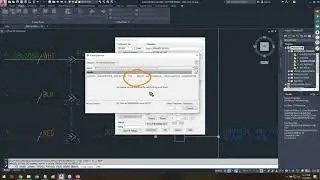
The AutoCAD Electrical PLC I/O Utility
Автор: Hagerman & Company
Загружено: 2021-12-21
Просмотров: 12006
Generate PLC drawings automatically from a spreadsheet, database, or comma-delimited text file!
Learn how the PLC information, including PLC modules and connected components, can be read from a Microsoft Excel spreadsheet, Access database table, or a comma-delimited text file. A single data file can generate multiple drawings, taking your AutoCAD Electrical skills to the next level!
0:00 Introduction to Spreadsheet to PLCIO Utility
05:45 Additional Fields in the Spreadsheet
10:26 Setting Up Ladder Command and Formatting
18:26 Trial and Error in Drawing Setup
25:03 Creating Drawings Using Sequential Numbering
27:25 Adding Components and Module Description
34:11 Adjusting Distances Between Components
46:08 Updating and Retagging Components
53:35 Connecting Symbols and Device Tag Creation
55:24 Leaving the Device Tag Column Blank
58:57 Creating Custom Drawings with the Utility
Related Blog Posts
►AutoCAD Electrical – PLC I/O and Excel (Best Friends): https://blog.hagerman.com/autocad-ele...
►AutoCAD Electrical – A Family Affair: https://blog.hagerman.com/autocad-ele...
💡 Master AutoCAD Electrical with Hagerman & Company's AutoCAD Electrical Fundamentals Training Course: https://www.hagerman.com/training-sup...
👉Learn more about Hagerman & Company's Controls Engineering Solutions: https://www.hagerman.com/solutions/co...
Stay Connected!
►LinkedIn: / hagerman-&-company
►Twitter: / hagerman_co
►Facebook: / hagermanco
📬 Subscribe to our blog and newsletter: https://www.hagerman.com/subscribe

Доступные форматы для скачивания:
Скачать видео mp4
-
Информация по загрузке: