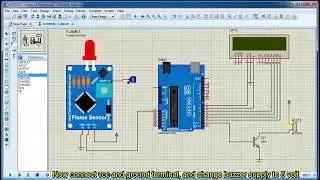
04. Temperature & Pressure Sensor Reading Simulation with Arduino in Proteus Simulator
Автор: Light of the Earth
Загружено: 2021-04-16
Просмотров: 1876
After seeing this video, you'll be able to learn about creating a project in Proteus and Simulate it by taking hex file generated from the compilation of the code in Arduino IDE.
Arduino Code:
int val;
int tempPin = 1;
// pin defs
int pressurePin = 0;
#define kpa2atm 0.00986923267
// variables
float pkPa; // pressure in kPa
float pAtm; // pressure in Atm
unsigned long time;
void setup() {
Serial.begin(9600);
}
void loop() {
val = analogRead(tempPin);
// read analog volt from sensor and save to variable temp
float mv = (val/1024.0)*5000;
float cel = mv/10;
float farh = (cel*9)/5+32;
// convert the analog volt to its temperature equivalent
Serial.print("Temperature = ");
Serial.print(cel);
Serial.print("*c ");
Serial.print(farh);
Serial.print("F");
Serial.println();
delay(3000); // update sensor reading each one second
/* get the pressure */
val = analogRead(pressurePin);
pkPa = ((float)val/(float)1023+0.095)/0.009;
pAtm = kpa2atm*pkPa;
/* send pressure to serial port */
Serial.print("Pressure = ");
Serial.print(pkPa);
Serial.print("kPa ");
Serial.print(pAtm);
Serial.println("Atm ");
delay(3000);
}

Доступные форматы для скачивания:
Скачать видео mp4
-
Информация по загрузке: