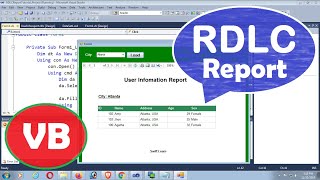
VB.Net Tutorial - How To Add Formula Field In Crystal Report
Автор: Swift Learn
Загружено: 2020-09-06
Просмотров: 4541
This tutorial teaches you how to add formula field in crystal report using vb.net. This tutorial also covered how to add if condition in crystal report in vb.net and how to add if statement in crystal report in vb.net.
This is very easy to add formula in crystal report using vb.net windows form application and if else condition in crystal report using vb.net,
To add formula field with if else statement in vb.net windows form application just follow this steps.
1. Go to the field explorer
2. Right click on Formula Field
3. Click on New
You can edit formula field in crystal report.
~~~~~~~~~~~~~
Subscriber will be notified when I will upload new tutorials in future. Many more new tutorials coming soon, so stay tuned!
/ swiftlearn
~~~~~~~~~~~~~
You can also know all the programming techniques, and bug fixing, error solution in my channel Swift learn.
The main topics of this channel are c#.net, asp.net,VB.Net WCF, sql server, crystal report, RDLC report, HTML, CSS, JavaScript, Android etc.
See All the playlist in below link
https://www.youtube.com/swiftlearn/Pl...
~~~~~~~~~~~~~
Share this video with anyone if you think as useful.
Please leave a suggestions for future tutorials in the comment section below.
~~~~~~~~~~~~~
Connect with me
/ swiftlearn
More Tags
#HowToAddFormulaFieldInCrystalReport #IfConditionInFormulaField #SwiftLearn
how to add formula field in crystal report,
crystal report add formula field,
formula field crystal report,
how to add formula field in crystal report using vb,
vb.net crystal report add formula field,
formula field crystal report vb,
if statement in crystal reports formula,
crystal report formula field if condition,
crystal report formula field if then else,
formula field in crystal report if condition,
if condition in formula field in crystal report,
crystal reports formula if statement

Доступные форматы для скачивания:
Скачать видео mp4
-
Информация по загрузке: