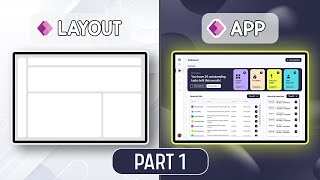
Power Apps Responsive Gallery Design | Table to Card & Card Layout Explained | EP 5.2
Автор: Dhruvin Shah
Загружено: 2025-07-05
Просмотров: 0
Welcome to Episode 5.2 of our Responsive Canvas App Step-by-Step Series!
In this power-packed session, we’ll deep dive into designing fully responsive galleries in Power Apps Canvas Apps.
🧩 Learn how to:
✔ Transform a tabular gallery into a responsive card layout
✔ Build a dynamic card-based gallery that adjusts based on screen size
✔ Control gallery template height, wrap count, and dynamic visibility
✔ Implement real-world gallery filtering and editing functionality
✔ Design pixel-perfect user experiences for tablet, desktop & mobile
🧠 Key Takeaways
🔹 Convert gallery layout from table to card based on resolution
🔹 Use dynamic wrap count to control card flow on mobile, tablet, and desktop
🔹 Apply template height, wrap, and minimum width for responsiveness
🔹 Use dynamic visibility to show/hide headers for mobile layout
🔹 Implement interactive edit & delete icons using contextual formulas
🔹 Reuse filters from previous responsive components (Episode 5.1)
⏱️ Timestamps & Chapters
00:00 – 🎬 Introduction & Importance of Galleries
01:10 – 📋 Recap of EP 5.1 (Responsive Table)
02:15 – 🎯 Episode Goals: Table to Card + Card Gallery
04:00 – 🧪 Tablet vs Mobile: How the UI Adapts
06:00 – 📁 Duplicating Previous Screen Setup
08:45 – 🚧 Removing Table and Preparing Containers
11:30 – 🖼 Adding Header & Gallery Containers
14:00 – 🧩 Designing Vertical Gallery with Roadway Data
18:40 – 🔁 Making Gallery Responsive with Flexible Width
21:20 – 📦 Container Setup for Cards & Action Buttons
26:00 – 🏗 Adding Fields Dynamically in Gallery
31:00 – 🧵 Wrapping & Responsive Label Design
35:20 – 📱 Dynamic Width Logic for Mobile
38:45 – 🧮 Template Height for Gallery Responsiveness
43:00 – ✅ Finalizing Table-to-Card Gallery
45:15 – 🧠 Conditional Visibility for Header
47:50 – 🎨 Applying Dynamic Text in Card Layout
50:40 – 🧼 Cleaning Up Borders & Colors
52:20 – ✨ Gallery Selection Highlight & Transition
54:10 – 🔗 Applying Filter & Edit Logic
57:00 – 🆕 Second Use Case: Card-Only Gallery
59:10 – 📐 Building from Scratch – Card Layout Gallery
1:03:00 – 🔢 Using WrapCount Dynamically
1:06:30 – 🧪 Testing on Mobile, Tablet, Desktop
1:09:20 – 🖌 Adding Borders, Padding, Icons Positioning
1:12:10 – 🎯 Final Functional Testing & Polish
1:13:30 – ❓ Quiz: Which Property Enables Responsive Cards?
1:14:00 – 🧠 Summary & What’s Next
👉 Join Premium Membership using this Link.
/ @iamdhruvinshah
📥 Download all Resource Files: https://shorturl.at/TOMnA
👉 Full Playlist Link:
• Responsive Power Apps Complete Beginner Tu...
👨💻 Host & Producer:
Follow my other channel for short content: @DigitalDhruvin
Follow me on Instagram: / powerplatformguy
Looking for a Consultancy? Connect Here! https://powerplatformtrainings.com/co...
Follow me on all social Media Handles: https://linktr.ee/dhruvin.shah
#PowerApps #ResponsiveDesign #CanvasApp
#PowerPlatform #PowerAppsGallery #GalleryTips #LowCode
#MicrosoftPowerApps #PowerAppsTutorial
#PowerAppsBeginners #PowerPlatform #PowerAddicts #DigitalDhruvin #DhruvinShah

Доступные форматы для скачивания:
Скачать видео mp4
-
Информация по загрузке: