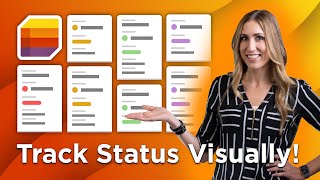
Microsoft Bytes: How to Create and Organize Categorized Lists with Microsoft Lists
Автор: Navisiontech
Загружено: 2025-12-04
Просмотров: 14
Looking for a better way to track work, relay information, or visualize data with your team?
In this Microsoft Byte, we introduce you to Microsoft Lists, a powerful tool for creating, tracking, and sharing organized information within your free Microsoft 365 account. Lists go beyond simple tables, allowing you to use templates to manage everything from content schedules to asset tracking.
This video walks you through accessing the app and setting up a new list:
✨ Accessing Lists: Locating the application on the Microsoft 365 dashboard.
🌐 Templates Available: Exploring ready-made lists like Issue Tracker, Content Scheduler, and Expense Tracker.
✍️ Using a Template: Selecting a pre-filled template (Content Scheduler) to jumpstart your list creation.
🎨 Customization: Giving your new list a custom name, color, and icon.
➕ Modifying Structure: Adding new columns or editing existing column settings (like turning a column into a hyperlink).
📊 Starting from Scratch: Quick demonstration on how to create a list from a blank template.
Start tracking and visualizing your shared data today!
⏱️ In this video (Accurate Timestamps):
▶️ 0:08 - Locating and opening the Microsoft Lists app.
▶️ 0:17 - Overview: Lists track data, relay info, and visualize data for teams.
▶️ 0:41 - Reviewing available templates (Issue Tracker, Content Scheduler, etc.).
▶️ 0:50 - Examining the Content Scheduler template structure.
▶️ 1:26 - Renaming the template and selecting a color/icon.
▶️ 1:53 - Customizing the list by adding or editing columns.
▶️ 2:30 - How to create a new list from a blank template.
🚀 Navisiontech specializes in helping businesses centralize and track critical data. Ask us how Dynamics 365 Business Central can revolutionize your process tracking and workflow!
🌐 Visit us: https://navisiontech.com
#MicrosoftLists #ContentScheduler #DataTracking #Workflow #MicrosoftBytes #Navisiontech

Доступные форматы для скачивания:
Скачать видео mp4
-
Информация по загрузке: