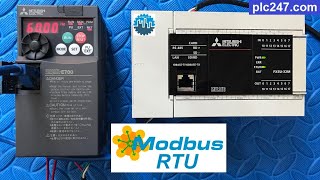
How to Connect Weintek HMI with Mitsubishi FX5U PLC via RS485
Автор: Al Moazzam Automation
Загружено: 2025-07-09
Просмотров: 1081
Welcome to Al Moazzam Automation!
In this detailed tutorial, we’ll walk you through the complete process of connecting a Weintek HMI with a Mitsubishi FX5U PLC via RS485 communication using the Modbus RTU protocol.
If you're working in the field of industrial automation, controls engineering, or HMI/PLC integration, this video is a must-watch. We break it down step-by-step so even beginners can follow along and configure this setup confidently.
🔍 What You'll Learn in This Video:
1️⃣How to set up RS485 communication between Weintek HMI and Mitsubishi FX5U PLC
2️⃣Configuring FX5U communication settings in GX Works3 / FX Configurator
3️⃣Setting up Modbus RTU Master in Weintek HMI using EasyBuilder Pro
4️⃣Wiring diagram and physical RS485 connection between PLC and HMI
5️⃣Setting baud rate, parity, data bits, stop bits, and station addresses correctly
6️⃣Testing live data transfer between HMI and PLC
7️⃣Troubleshooting communication issues if any errors occur
This video will give you hands-on understanding of Modbus communication, which is widely used in industrial applications like SCADA, process control, and machine automation.
⚙️ Devices & Tools Used:
1️⃣Mitsubishi FX5U PLC (RS485 communication port)
2️⃣Weintek HMI (MT8071iE)
3️⃣EasyBuilder Pro (HMI configuration)
4️⃣GX Works3 (PLC software)
5️⃣RS485 serial communication cable
#WeintekHMI #MitsubishiFX5U #RS485Communication #ModbusRTU #IndustrialAutomation #HMItoPLC #GXWorks3 #EasyBuilderPro #PLCIntegration #AutomationEngineer #HMItutorial #ControlSystems #USAutomation #AutomationTraining #AlMoazzamAutomation

Доступные форматы для скачивания:
Скачать видео mp4
-
Информация по загрузке: