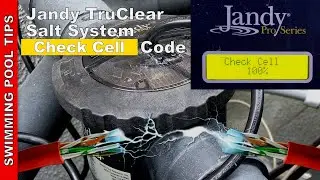
Jandy Pro Series TruClear Salt System Control Panel Walk Thru Video
Автор: Swimming Pool Tips, Reviews & How To - SPL
Загружено: 2018-03-12
Просмотров: 141961
The Jandy TruClear Pro Series Salt Water System (Chlorine Generating System) has an easy to use Control Panel. It is truly one of the simplest to use and learn but it is always helpful to go over some of the features in detail. In this article I will focus on the Control Panel and how to set the salt level and the other settings. The TruClear is part of Jandy's Pro Series line and is only sold at your local pool store or through your local pool service professional.
If you are charging a freshly filled pool with salt or converting over to a salt water pool, be sure to turn the TruClear unit completely off when you add the salt to the pool. You should leave it off for at least 48 hours as the salt is circulated in the pool. Once the salt level is at 3000 ppm you can turn on the system. The Control Panel does not record or display the salt level so you will need to verify the salt level with a digital tester, test strips or you can bring a water sample into your local pool store and have it tested.
Here is how to turn on and off the Control panel and also put it in “Standby” Mode. Note that when you turn on the system for the first time it starts out in “Standby” mode. If the salt level is correct you will need to simply press the power button to take the system out of “stanby” and turn the unit on. To turn the system completely off, hold the power button down for 6 seconds.
Setting the chlorine output is very simple. The percentage can be set with the “+” and “-” arrow keys. You can set it to 100% or down to 20% depending on your pool size, usage and needs. Jandy recommends starting a 15K pool at 40% and going up if needed. Once you are the % you desire to lock it in press the “Select” arrow button. For a 25K-30K pool you should start the production at 60% and go up from there if needed. You want to achieve a consistent chlorine level of 3 ppm and I personally like to keep my salt water pools at 5 ppm. So play with the output percentage until each week the chlorine level is consistently at these levels. Note that the system will work in a pool up to 35K gallons which is great if you have a very large pool.
If you have a very small pool or if you are using an Ionizer, UV or Ozone you can set the chlorine production down to as low as 10%. Simply hold the “-” arrow and the “Select” arrow at the same time. Not that once you enter low chlorine mode it will remain set in this mode until you cancel it by pressing the “back” arrow. This is a great feature and will allow you to set the chlorine level as low as 1 ppm if you desire. If you have a Variable Speed pump you can also control production by running your pump under 1725 RPM. The Control Panel will remain in “Standby” until the pump speed is above 1725 RPM. So if you want to limit production you can run your pump at a lower speed and then set it to run at a higher RPM for only 2-3 hours.
To Boost the chlorine production for 24 hours simply hold down the “+” and “Select” arrow keys at the same time. This will but the TruClear in Super Chlorination mode. You would use this if you just has a swim party and want to clear up the cloudy pool water. You may also want to use this mode if the pool has run out of chlorine due to setting the production too low or a dirty salt cell.
One last thing I want to touch on is the Polarity Reversal mode. No matter how long you run the TruClear system each day, every 5 hours the cell will reverse itself to prevent calcium buildup. If you live in an area with very hard water you may want to set the Polarity Reversal to every 3 hours. To enter the Service Menu simply hold the “+” and “-” button down at the same time for 6 seconds. Now you can set the reversal time down from 5 hours to 3 hours. You can also change the langauge from this menu.
You will find the TruClear Control Panel to be extremely user friendly and if this is your first salt system you will have no problem setting the chlorine output level to achieve a sparkling blue pool all season.
To see my review of the TruClear Salt Water System: • Jandy Pro Series TruClear Salt Water Syste...
Related Videos:
Controlling a Salt System or Booster Pump with the AUX Relay in a Jandy 2 Hp Vs Pump: • Controlling a Salt System or Booster Pump ...
Easiest Way to Save Thousands of Dollars on your Pool Cost - Install a Variable Speed Pump!: • Easiest Way to Save Thousands of Dollars o...
Visit my Website: http://www.swimmingpoollearning.com/
eBook: https://www.swimmingpoollearning.com/...
YouTube Video Index: http://poolmandave.blogspot.com/2014/... – A list of all of my videos:
Follow Me:
Google +: https://plus.google.com/+MrDgvb1/posts
Blogger: http://poolmandave.blogspot.com/
Facebook: https://www.facebook.com/pages/Youtub...
Twitter: / mrdgvb1
Join me on Patreon: https://www.patreon.com/user?u=4251655

Доступные форматы для скачивания:
Скачать видео mp4
-
Информация по загрузке: