Популярное

Музыка Кино и Анимация Автомобили Животные Спорт Путешествия Игры Юмор

Интересные видео

2025 Сериалы Трейлеры Новости Как сделать Видеоуроки Diy своими руками

Топ запросов

смотреть а4 schoolboy runaway турецкий сериал смотреть мультфильмы эдисон
dTub
Скачать

Controlling Where OptiRough Cuts | Xometry Mill Test Part - Video 5

Автор: CamInstructor

Загружено: 2021-08-25

Просмотров: 16884

Описание:

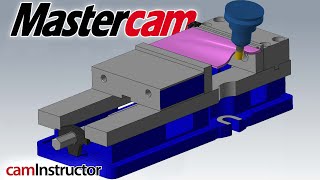
Often when using OptiRest, tool motion happens where you don't want. Let's look at controlling this toolpath.

Link to download the CNC Mill Test Part Package...
https://community.xometry.com/kb/arti...

Another video talking about OptiRough / OptiRest. We have some new things to discuss in this one though. Specifically, controlling where tool motion takes place during the OptiRest toolpath.

The most common instance of this extra motion comes from small cusps left behind by previous toolpaths. When roughing 3D parts, there will be varying amounts of material left on different locations of the part even when the tool is leaving the commanded amount of material. This extra material can cause furture toolpaths to add extra cuts to remove these bits. Sometimes, this is the goal. But when its not, this is just wasted cycle time.
In the Stock setting, there is a function called Adjustments to Remaining Stock. This does just that, adjust the stock. You can Use as Computed, Ignore Small Cusps, or Mill Small Cusps. Those little bits of extra material, ya, we refer to those as cusps.
Ignore small cusps basically allows use to not cut these areas where slightly more material is left than our Stock to Leave setting. If you stock to leave is 0.01 but the toolpath sees 0.011 of material in some places, it will add tool motion there. Obviously, you may not want to waste the time to cut 0.001 of stock.
The only limitation with this setting is you cannot ignore more than the radius of the tool you are cutting with. So, 1/32 bullnose, max setting is 0.031.
This Stock adjustment works great for small cusps but what about entire regions? If you are trying to avoid a hole or pocket, the Skip Pockets setting is a great first option to explore. If this is not working to your satisfaction, you may have to create some geometry. You can easily draw a containment boundary and chain that instead of using the Silhouette Boundary we have been using.
Lastly, since we are using a stock model. you can always make adjustments to it. There is a setting called Additional Offset but this only works in the positive direction, as in you can only add more stock to the model not less. Another option is to apply a dummy toolpath to one stock model and then create a new stock model from that...then feeding this new stock model to your real toolpath. Getting deep in the weeds now but just pointing out the endless options you have here to get control of the toolpath you want.
See other blog posts
https://blog.caminstructor.com

Check out our website
https://caminstructor.com

#Mastercam #LearnCNC

Controlling Where OptiRough Cuts | Xometry Mill Test Part - Video 5

Поделиться в:

Доступные форматы для скачивания:

Скачать видео mp4

  • Информация по загрузке:

Скачать аудио mp3

Похожие видео

Mastercam OptiRough using Stock aka OptiRest | Xometry Mill Test Part - Video 4

Mastercam OptiRough using Stock aka OptiRest | Xometry Mill Test Part - Video 4

From One Part to Multiple Parts in Mastercam

From One Part to Multiple Parts in Mastercam

Adding Multiple Solids to Stock Setup in Mastercam

Adding Multiple Solids to Stock Setup in Mastercam

How to Oscillate in Different Mastercam Toolpaths

How to Oscillate in Different Mastercam Toolpaths

Mastercam Model Prep Function

Mastercam Model Prep Function

Mastercam tip: Taper Spiral Boring in Mastercam - Countersink boring

Mastercam tip: Taper Spiral Boring in Mastercam - Countersink boring

Leveraging Mastercam's 3+2 Automatic Toolpath

Leveraging Mastercam's 3+2 Automatic Toolpath

От CAD-модели до пластиковой ложки: полный цикл изготовления пресс-формы не выходя из офиса

От CAD-модели до пластиковой ложки: полный цикл изготовления пресс-формы не выходя из офиса

Чем ОПАСЕН МАХ? Разбор приложения специалистом по кибер безопасности

Чем ОПАСЕН МАХ? Разбор приложения специалистом по кибер безопасности

Stock Awareness and Remachining Strategies in Mastercam

Stock Awareness and Remachining Strategies in Mastercam

Mill and Mill 3D Mastercam 2022

Mill and Mill 3D Mastercam 2022

Универсальная технология резонаторов прошлого (11.12.2025)

Универсальная технология резонаторов прошлого (11.12.2025)

Семьдесят восемь тонн брони из Англии и пушка пробивавшая Пантеру насквозь!

Семьдесят восемь тонн брони из Англии и пушка пробивавшая Пантеру насквозь!

Вебинар Mastercam Multiaxis

Вебинар Mastercam Multiaxis

Лазер и Фрезер 2 в 1 - Идеальный ЧПУ по цене телефона!

Лазер и Фрезер 2 в 1 - Идеальный ЧПУ по цене телефона!

Советы и рекомендации по Mastercam Advanced Mill — вебинар

Советы и рекомендации по Mastercam Advanced Mill — вебинар

The Secrets Behind Clean Core Multiaxis Programming

The Secrets Behind Clean Core Multiaxis Programming

Expert Level Mastercam OptiRough Tips on Day 1 of Ron Week!

Expert Level Mastercam OptiRough Tips on Day 1 of Ron Week!

«Путин предвидит будущее: Вашингтон реагирует слишком поздно — Джон Миршаймер»

«Путин предвидит будущее: Вашингтон реагирует слишком поздно — Джон Миршаймер»

Stock Setup VS Stock Model | Xometry CNC Mill Test Part - Video 3

Stock Setup VS Stock Model | Xometry CNC Mill Test Part - Video 3

© 2025 dtub. Все права защищены.


  • Контакты
  • О нас
  • Политика конфиденциальности


Контакты для правообладателей: [email protected]