High Sierra 10.13: Format External Hard Drives
Автор: Mike Murphy Co
Загружено: 2018-01-20
Просмотров: 18345
How to Format External Hard Drives on a Mac Running High Sierra OS 10.13 or later
Do you use LaCie or SeaGate Hard Drives on a Mac running High Sierra 10.13 or later? This tip is for you
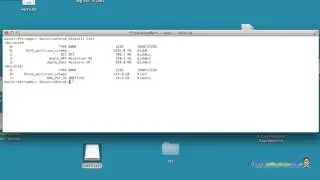
There is a new setting in High Sierra that allows you to Hide Devices (not a good feature), but it is on by default. Go to View and select Show All Devices:
The fix is really easy, you just have to know it exists.
Open Disk Utility on a Mac:
1. Go to Applications...Utility...Disk Utility or,
2. Open Finder...Click Go...Utilities
In Disk Utility:
1. In View Menu...Check 'Show All Devices' (Cmd+2) or,
2. In Dropdown Menu, View...'Show All Devices'
In Sidebar:
Select Top Entry of Hard Drive you want to Format
Press Erase in Top Center
Name Hard Drive
Mac OS Extended (Journaled)
GUID Partition Map
Erase
Done
Hard Drive should show Green Check and mount on your Desktop
My favorite Hard Drives:
For Travel & Mobile: Lacie Rugged 4TB:
http://amzn.to/2mUF2Eh
For My Desk: LaCie D2 Thunderbolt 6TB:
http://amzn.to/2DmIxKB
************************
➜All Gear I Use: https://kit.co/mikemurphyco
➜Podcast Gear: http://www.mikemurphy.co/podgear
➜Support Me on Patreon: / mikemurphy
➜ Get Adobe Creative Cloud:http://mikemurphy.co/adobe
➜Tutorial Software:
Screenflow: http://mikemurphy.co/screenflow
Camtasia: http://mikemurphy.co/camtasia
---------------------------------------------------------------
VISIT MY WEBSITE:
http://mikemurphy.co
SUBSCRIBE TO PODCAST
-http://mikemurphy.co/itunes
SOCIAL MEDIA:
Instagram: / mikeunplugged
Facebook: http://mikemurphy.co/facebook- Twitter: / mikeunplugged
-YouTube: http://mikemurphy.co/youtube
Amazon Associates Disclosure:
Mike Murphy is a participant in the Amazon Services LLC Associates Program, an affiliate advertising program designed to provide a means for sites to earn advertising fees by advertising and linking to Amazon.com

Доступные форматы для скачивания:
Скачать видео mp4
-
Информация по загрузке: