How to Bulk Automate WooCommerce SEO with AI (Yoast, Rank Math & AIOSEO)
Автор: Sheet Editor
Загружено: 2026-01-21
Просмотров: 14
Read the written guide: https://wpsheeteditor.com/v/42274
Are you tired of manually writing SEO titles and meta descriptions for thousands of WooCommerce products?
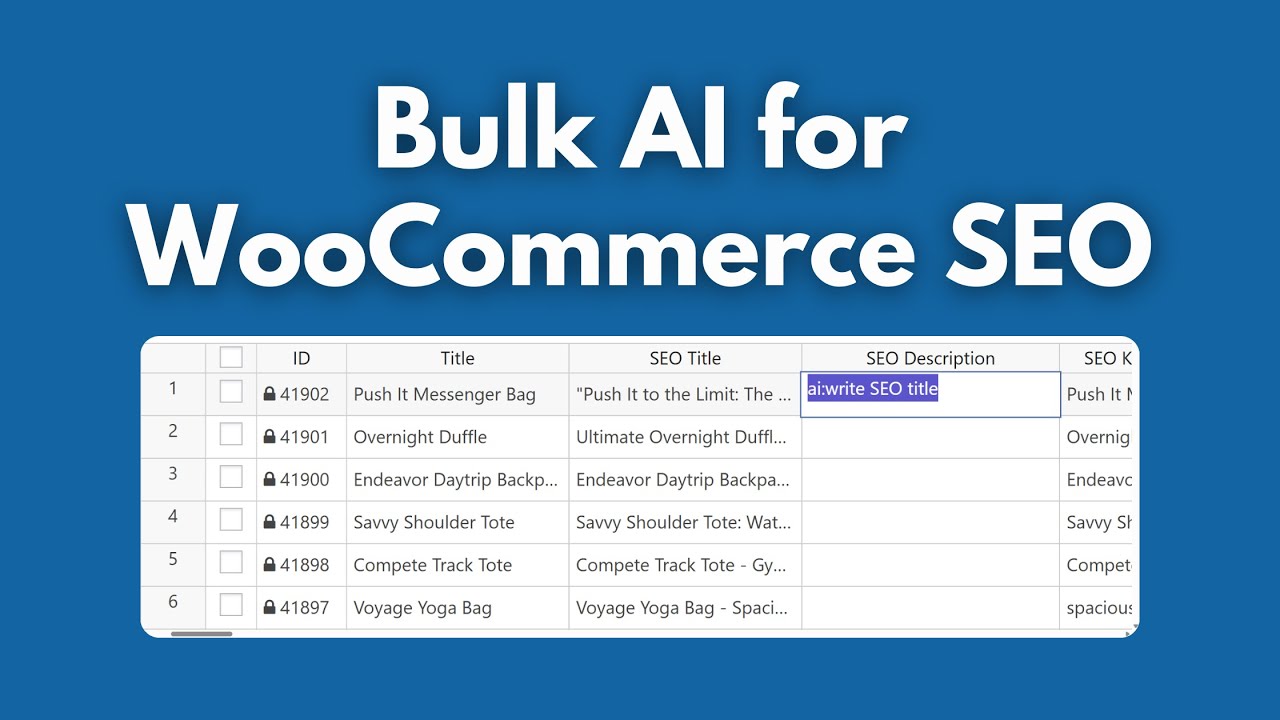
🛑 In this tutorial, we show you how to revolutionize your workflow using WP Sheet Editor and Generative AI.
Learn how to bulk generate high-ranking SEO content for your entire store in minutes, not days. We walk you through connecting OpenAI, OpenRouter or your preferred AI API provider, to your WordPress dashboard to create context-aware SEO tags that actually drive traffic.
👇 TOOLS REQUIRED IN THIS TUTORIAL:
WP Sheet Editor - WooCommerce Products: https://wpsheeteditor.com/extensions/...
WP Sheet Editor - AI Extension: https://wpsheeteditor.com/extensions/ai/
An API Key (from OpenAI, OpenRouter, etc.)
🔥 WHAT YOU WILL LEARN:
✅ AI Configuration: How to set up your AI Provider, Model Key, and permissions for Chat, Edits, and Bulk actions.
✅ Global Prompts: How to create reusable "Prompt Slugs" to standardize your SEO strategy.
✅ Custom vs. Global Commands: Learn to use saved templates or type custom AI instructions directly in spreadsheet cells.
✅ Bulk Automation: How to filter products missing SEO descriptions and generate them all at once.
✅ Plugin Compatibility: While we demonstrate with Yoast SEO, this method works perfectly with Rank Math, All in One SEO (AIOSEO), and SEOPress.
⏱️ TIMESTAMPS:
0:00 Introduction: The Challenge of WooCommerce SEO
0:40 Step 1: Configuring the AI Provider & Model
1:14 Step 2: Creating "Global Prompts" for Efficiency
2:01 Step 3: The Spreadsheet View (Yoast, Rank Math, AIOSEO)
2:20 Step 4: Generating SEO Data in Cells (Custom vs. Global)
3:07 Step 5: How to Bulk Generate SEO Descriptions
🚀 ABOUT WP SHEET EDITOR:
WP Sheet Editor allows you to manage your WordPress data in an intuitive spreadsheet directly within your dashboard. With the new AI extension, you can bring the power of LLMs directly into your columns to create content, translate text, and optimize SEO without leaving WordPress.
🔔 Don't forget to LIKE and SUBSCRIBE for more WordPress AI tutorials!
Доступные форматы для скачивания:
Скачать видео mp4
-
Информация по загрузке: