How to Highlight Every Other Row in Excel (Quick and Easy)
Автор: Excel Tutorials by EasyClick Academy
Загружено: 2021-03-08
Просмотров: 163183
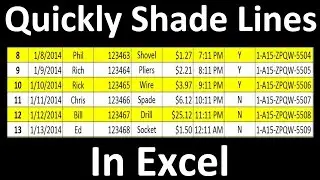
Today we’re gonna have a look at how to highlight every other row in Excel, quick and easy, no matter the size of the data table. Ready to start?
To highlight every other row use this formula:
=isodd(row())
=iseven(row())
Don’t miss out a great opportunity to learn:
How to Create Filter in Excel
► • How to Create Filter in Excel
How to Use Conditional Formatting in Excel
► • How to Use Color Scales in Excel (Conditio...
Excel Tips & Tricks for Becoming a Pro
► • How to Insert Image in Excel Cell (Correctly)
================
❤️ Become a Patron:
Do you find our tutorials useful? Join this channel and become a patron
YouTube ► https://www.youtube.com/@ExcelTutoria...
================
⏱️Timestamps⏱️
0:00 Intro
0:27 How to Highlight Every Other Row in Excel
1:25 How to Format Highlighted Rows
2:28 How to Highlight the Even Rows
3:13 How to Remove the Formatting From the Table
================
Is this your first time on EasyClick? We’ll be more than happy to welcome you in our online community. Hit that Subscribe button and join the EasyClickers! :)
► https://www.youtube.com/c/ExcelTutori...
Transcription How to Highlight Every Other Row in Excel (Quick and Easy)
► https://www.easyclickacademy.com/how-...
Got Microsoft Office 365? Get it here
► https://www.easyclickacademy.com/buy-...
Connect:
LinkedIn ► / easyclickacademy
Facebook ► / easyclickacademy
Screen Recorder & Video Editor:
Camtasia ► https://techsmith.pxf.io/c/1266206/34...
Voice over artist ► https://seanantonyvo.com
#MicrosoftExcelTutorial #ExcelQuickAndEasy #EasyClickAcademy

Доступные форматы для скачивания:
Скачать видео mp4
-
Информация по загрузке: