Installing the .NET Core SDK on the Raspberry Pi
Автор: Joel Johnson (j2i.net)
Загружено: 2020-04-10
Просмотров: 18067
Did you know that the Raspberry Pi can run .NET Core Framework applications? The Raspberry Pi with Raspbian runs the 32-bit version of the .NET Core Framework (For Raspberry Pi 3, 4).
In this video I install the .NET Core framework on a Raspberry Pi and compile and run a Hello World program just to show that it is working. The installation demonstrated here is over SSH, but the same instructions will work from a direct connection to.
The write-up on this can be found at https://j2i.net
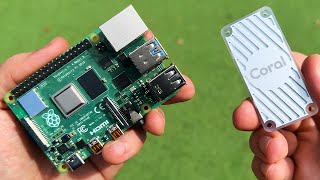
The devices pictured are a Raspberry Pi 3 with 64-gig storage and Raspberry Pi 4 with 512 gig storage. The Raspberry Pi 4 has a dual-fan heat sink attached to it. The affiliate links to these items is below.
Raspberry Pi 4 : https://amzn.to/2Rgq8rU
Raspberry Pi 3: https://amzn.to/39J5SW9
Micro HDMI to HDMI Adapter: https://amzn.to/3dZJxHc
512 GB Lexar SD Card: https://amzn.to/2RhR2zx
64 GB Samsung SD Card: https://amzn.to/39NzF03
Raspberry Pi 4 Dual Fan Heatsink: https://amzn.to/39UcHEJ
Blog: https://blog.j2i.net
Telegram: http://t.me/j2inet
Instagram: / j2inet
Twitter: / j2inet
Facebook: / j2inet

Доступные форматы для скачивания:
Скачать видео mp4
-
Информация по загрузке: