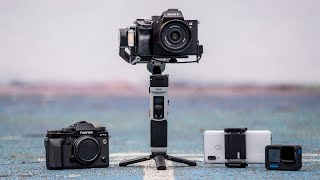
ZHIYUN CRANE-M2 (Unboxing, Balancing Sony RX100M7, ZY Play App, Firmware Upgrade, Connecting Camera)
Автор: Chris Urra
Загружено: 2020-01-10
Просмотров: 63216
Unboxing the ZHIYUN CRANE-M2 and balancing the Sony RX100 M7 on the gimbal. Installing the ZY Play App and upgrading the Firmware of the CRANE-M2. Configuration of the Sony RX100 M7 within the ZY Play App to use the Record Button and the Zoom Slider of the Gimbal.
Video about the charging cable to connect Sony RX100 VII directly to CRANE-M2:
• Power Sony RX100 VII from ZHIYUN CRANE-M2
ZHIYUN CRANE-M2: https://amzn.to/39X8m4L (*)
Sony RX100 M7: https://amzn.to/2Z4MWke (*)
Timestamps:
0:00 Intro
0:29 Unboxing the ZHIYUN CRANE-M2
3:06 Balancing the Sony RX100 M7
8:48 Downloading & Installing the ZY Play App on an iPhone
9:43 Installing the Firmware Upgrade for the ZHIYUN CRANE-M2
10:18 Connecting the ZY Play App to the CRANE-M2 and the Sony RX100 M7
11:17 Using the Record Button and the Zoom Slider on the Gimbal to control the Sony RX100 M7
@urrachris on social:
Instagram: / urrachris
Twitter: / urrachris
Facebook: / urrachris
Pinterest: / urrachris
(*) I am a participant in the Amazon Services LLC Associates Program, an affiliate advertising program designed to provide a means for sites to earn fees by linking to Amazon.com and affiliated sites. As an Amazon Associate I earn from qualifying purchases.
#SonyRX100VII #RX100VII #CraneM2

Доступные форматы для скачивания:
Скачать видео mp4
-
Информация по загрузке: