Creating a Progressive Walk in Maya
Автор: Learning In Bits with Michael
Загружено: 2024-11-19
Просмотров: 396
This video would show you a simple way to create a progressive walk from a walk cycle in Maya. This rig, Cartoon Girl Rigged by CartoonFactory was downloaded from www.turbosquid.com and used for educational purposes only.
Below is a summary of the steps.
Progressive walk
1. Select the leg control of the front foot
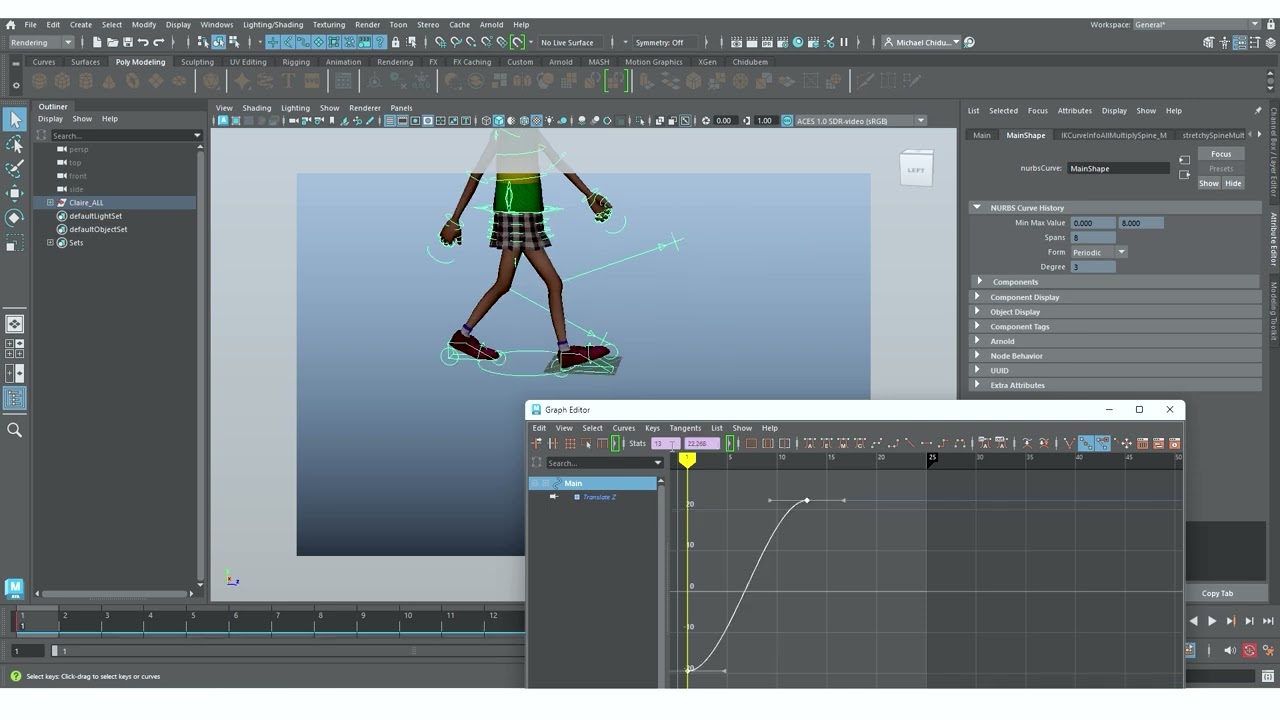
2. Copy the first two keyframes of the Z Translate in the graph editor
3. Select the character main controller on the round
4. Delete any previous frames
5. Paste the copied value
6. Play and notice that character moves backwards
7. Select the keyframes in the graph editor
8. In the time indicator, select the exiting value and type *=-1. This will reverse the movement to make character move forward.
9. To make movement infinity, select all controllers, add the infinity from the VIEW menu in the graph editor as well as the pre-and-post infinity (circle with offset) in the CURVE menu
Доступные форматы для скачивания:
Скачать видео mp4
-
Информация по загрузке: