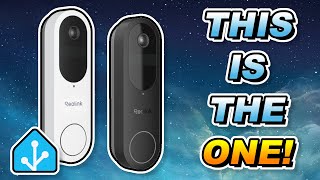
Installing Reolink Doorbell & Linking It to Uniview NVR – No Cloud Needed!
Автор: AL’ S PC REPAIR AND ELECTRONIC SERVICES LLC
Загружено: 2025-07-27
Просмотров: 937
ALS PC Repair and Electronic Services is back with another step-by-step tech install! 💻🔧
Today, I’m replacing a faulty Google Nest Doorbell Camera with a Reolink Doorbell Camera, and I’ll show you how to connect it directly to a Uniview NVR camera system.
✅ No more monthly cloud fees
✅ No microSD card needed
✅ 100% local storage with full control
Watch as I walk you through the entire installation process — from unboxing and wiring to full integration with the NVR system. Whether you’re upgrading your smart home setup or just want to save on storage costs, this guide is for you!
🔗 Chapters:
00:00 Intro
00:35 Unboxing Reolink Doorbell
01:20 Removing Old Nest Doorbell
03:10 Installing Reolink Doorbell
05:45 Linking to Uniview NVR
08:00 Final Test & Footage
💬 Got questions or need help with your own setup? Drop them in the comments below!
📞 Need professional installation? Contact ALS PC Repair and Electronic Services today! 561-635-6426
#ReolinkDoorbell #GoogleNestReplacement #DoorbellCameraInstall #UniviewNVR #LocalStorageCameras #NoCloudFees #SmartHomeSecurity #TechTutorial #HomeSurveillance #SecurityCameraInstall #DIYInstall #ReolinkSetup #HomeTechUpgrade #ALSRepair #ElectronicsService

Доступные форматы для скачивания:
Скачать видео mp4
-
Информация по загрузке: