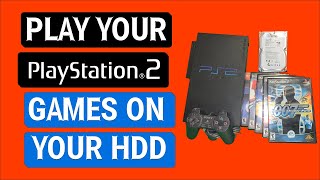
Play PS1 Games From Fat PS2 Internal Hard Drive Using Popstarter and OPL Tutorial (2019)
Автор: Project Phoenix Media
Загружено: 2019-01-17
Просмотров: 182488
Today's tutorial showcases the latest and easiest way of playing PS1 games from fat PS2 internal hard drive using Popstarter emulator, OPL, and FMCB or similar. This is a newer process and replaces any older internal hard drive method video recorded in the past.
See links below for all the goodies that you need.
Note: Use google to find POPS.ELF and IOPRP252.IMG needed for this tutorial.
Internal hard drive path structure is as follows:
hdd0:__common/POPS/POPS.ELF
hdd0:__common/POPS/IOPRP252.IMG
hdd0:__.POPS/SLES_123.45.Game.VCD
hdd0:+OPL/POPS/POPSTARTER.ELF
See tips below from user dapperfan44:
"FINALLY figured it out, the problem was the IOPRP252 IMG file had a lowercase extension. I had to capitalize the extension for it to work. @Project Phoenix Media would you mind adding that to the description? This way more people don't get tripped up like I did. I couldn't for the life of me figure out what was wrong until I saw that the .IMG extension on your screen was capitalized while mine was not.
Here's something else that's important for people to know. It doesn't show in this video and I assume your tv doesn't struggle with that resolution, but modern HDTV's don't support the native resolution of PS1 games over component cables because it's too low. Create a file that is called exactly "CHEATS.TXT" and then paste inside it "$HDTVFIX" without the quotation marks. Put this file into the folder that your game creates for the virtual memory cards in the __common/POPS/SCUS_123.45.Game Name folder. And you don't need to, but I recommend adding "$SMOOTH" to the CHEATS.TXT file so that the PS1 emulator automatically uses the smoothing option for the game.
And, you don't need to start each game in order to make the folder. After you make your SCUS_123.45.Game Name.VCD file, just create the folder named exactly the same thing as the folder. You can put the Cheats file in that folder, and other folders like it, then copy the folders in to the __common/POPS folder. The PS1 games will load right away over the component cable, and you don't need to change to your composite cable any more."
-------------------------------------------
Links For the Video
Collection of my files used in this video (no POPS.ELF or IOPRP252.IMG): https://mega.nz/file/qhQQnbZC#fzjpd4i...
Latest OPL daily build: http://www.ps2-home.com/forum/viewtop...
Latest Popstarter build: http://www.ps2-home.com/forum/viewtop...
Cue2Pops v2.3: https://assemblergames.com/threads/ps...
(Optional) Latest WLaunchELF: http://www.ps2-home.com/forum/viewtop...
(Optional, Recommended) Latest OPL Manager: https://oplmanager.com/site/
-------------------------------------------
*Stay Connected With Our Videos*
Discord: / discord
Become a Member: / @projectphoenixmedia
Project Phoenix Media: http://www.ProjectPhoenix.Media
Follow Us On Twitter: / moneyinphx
Needs a VPN? We recommend Private Internet Access (PIA): https://www.privateinternetaccess.com...
Facebook: / vstpower
MoNeYINPHX PC Specs: http://amzn.to/2lLWQ5J
-----------------------------------------------------------
Versatile Related Stuff:
Blog: http://www.VersatileNinja.com
Twitter: / versatileninja
-----------------------------------------------------------
Tutorial request form:
http://www.tinyurl.com/tutrequest
vstPower Steam Group: http://steamcommunity.com//groups/vst...
Issues with video content? Email us instead of doing a YouTube takedown. dmca [at] projectphoenix.media
Copyright © 2018 Project Phoenix Media LLC - All Rights Reserved

Доступные форматы для скачивания:
Скачать видео mp4
-
Информация по загрузке:


![[Как] Использование Popstarter с внутренним жестким диском PS2 Fat. Руководство 2016 — Часть 1 из 2](https://ricktube.ru/thumbnail/y86ckEg4-xc/mqdefault.jpg)


![Лучшие Игры для Playstation 1 (PSone, PSX) [ТОП 10] #1](https://ricktube.ru/thumbnail/d7EDp8C_-AA/mqdefault.jpg)