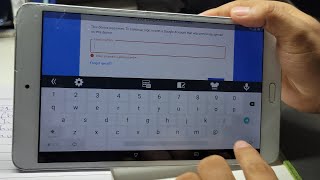
NTT Docomo Dtab D-01h & D-02h FRP Bypass Without PC
Автор: MZ Technical
Загружено: 2025-07-21
Просмотров: 547
NTT Docomo Dtab D-01h & D-02h FRP Bypass Without PC
In this video, I’ll show you how to bypass FRP (Factory Reset Protection) on NTT Docomo Dtab D-01H and D-02H without using a PC or computer. This method is simple, fast, and requires only a Wi-Fi connection and a few steps using device settings or SIM trick.
✅ No OTG
✅ No PC/Laptop
✅ No APK installation needed (optional)
✅ Works on Android 6.0 / 7.0 (Huawei-based)
📱 Steps include:
Accessing settings via emergency dialer or SIM PIN trick
Disabling Google Play Services
Adding a new Google account
Rebooting and unlocking your tablet
📌 Works on most NTT Docomo Dtab devices with FRP lock!
⚠️ Note: This video is for educational purposes only. Please do not use this method on stolen or unauthorized devices.
👍 Don’t forget to Like, Share, and Subscribe for more bypass & unlock guides!
---
📌 Tags:
#FRPBypass #DtabD01H #DtabD02H #NTTDocomo #FRPWithoutPC #GoogleLockBypass #HuaweiFRP #Bypass2025 #DtabUnlock

Доступные форматы для скачивания:
Скачать видео mp4
-
Информация по загрузке:


![Как сжимаются изображения? [46 МБ ↘↘ 4,07 МБ] JPEG в деталях](https://ricktube.ru/thumbnail/Kv1Hiv3ox8I/mqdefault.jpg)