How to Add Face Detection to your Expo React Native App - Recognize Smiling/Eyes Shut and More!
Автор: MissCoding
Загружено: 2021-12-23
Просмотров: 12982
Hi everyone!
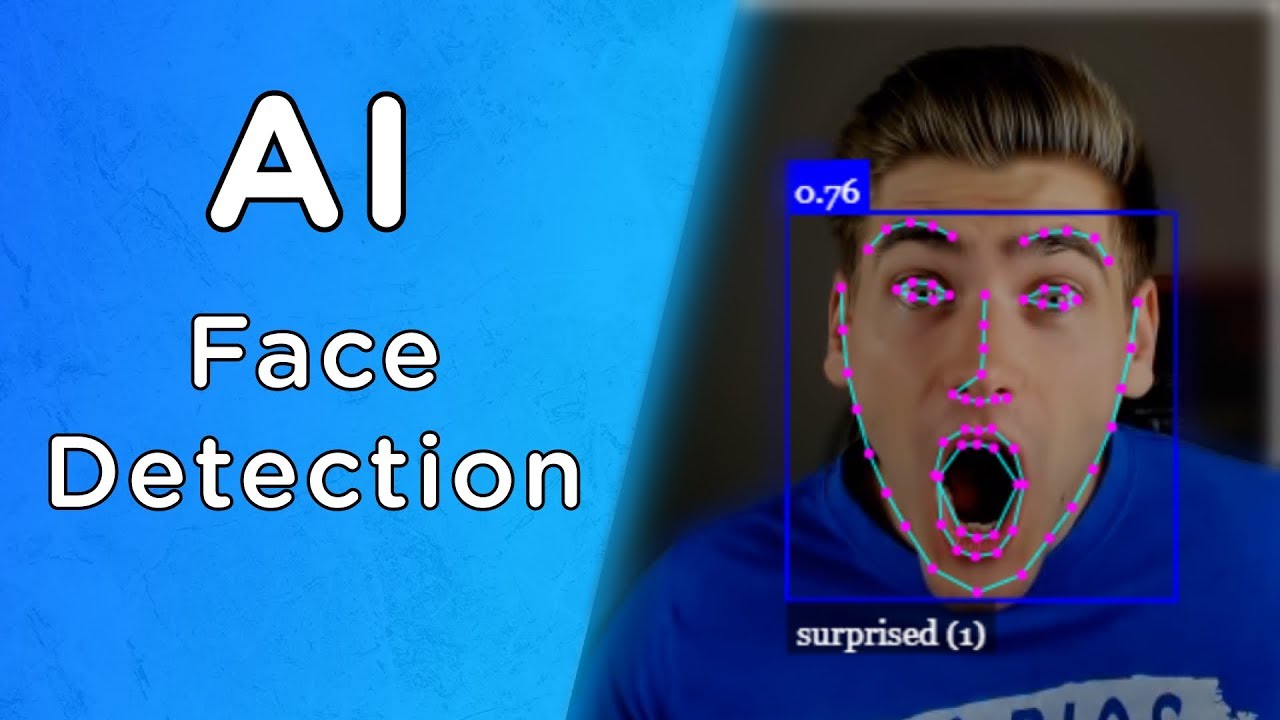
Today I want to show you how to add face detection to your expo react native apps for Android and Apple devices using the expo-face-detector and expo-camera packages. You will learn how to add a camera to your iOS and Android apps and pass face detector options to the camera to get information about on camera faces. You can gain insights into positions of certain facial features, whether a face is smiling, where eyes are open or shut. Also you will be able to track faces between frames and recognize multiple faces on camera and their individual features.
For expo-face-detector settings please see the expo documentation:
https://docs.expo.dev/versions/latest...
For expo-camera documentation please see the documentation on expo:
https://docs.expo.dev/versions/latest...
All my code is available on GitHub so if you would like to try it out yourself, it's available here:
https://github.com/chelseafarley/Expo...
You’ve clearly come here to learn and a free audible trial allows you to increase your learning potential in situations where you may be hands free like at the gym or on your commute. It allows you to spend more time on theory when you aren’t able to watch a screen, so that you can maximise your screen time to pick up technical skills. Try it for free today:
https://amzn.to/3ECMsom
// ABOUT ME
My name is Chelsea and I started studying software engineering in 2010. I have been working commercially full time since 2014 and have been in various positions from graduate developer to tech lead to solution architect.
I'm a full stack developer with a lot of experience in C# and Javascript but my passion is for mobile development; specifically native iOS development and cross platform using React Native.
I always have many things on the go and am always trying out a new side hustle and failing at it; perhaps you can learn from my mistakes!
Please like and subscribe if you enjoyed this video and want to see more like it!
Have any suggestions on topics you would like to learn more about? Please suggest them in the comments... I would love to help you out while doing a bit of learning myself!
// PRODUCTS USED
I use the following products in the creation of my videos:
Boya MM1 Microphone - https://amzn.to/3m6kif7
A reasonable quality and reasonably sturdy but cost effective microphone that can be used by both DSLR cameras, mobile phones and laptops
Canon 18-55mm Lens - https://amzn.to/3IwscFR
A kit lens but a decent quality lens for beginners getting used to a DSLR
Canon EOS Rebel T7 with 18-55mm Lens - https://amzn.to/3XZauAL
This is the kit I started with it includes the lens linked above and is a great starter camera.
I love Apple devices... These are the ones I use for my channel content creation:
Apple iPhone 13 - https://amzn.to/3KAUba4
A good all round phone, good for Apple development and recording videos with enough high quality features but at a cheaper price point than the pro versions.
Apple MacBook Pro - https://amzn.to/3KxrE5q
A nice portable computer for working from anywhere and perfect for iOS development
Apple iPad Air - https://amzn.to/3xU2k21
Really easy to use for graphic design if required for logos as part of my app development or editing the videos on the go.
Apple Pencil (2nd Generation) - https://amzn.to/3EBSwNS
For logo and icon design in Affinity Designer app for iPad
Logitech Folio Keyboard Touch - https://amzn.to/3XUYBM1
Adds keyboard and touchpad to iPad Air, making it easier to use for writing code/eBooks etc. on the go!
DISCLAIMER: Links included in this description might be affiliate links. If you purchase a product or service with the links that I provide I may receive a small commission. There is no additional charge to you! Thank you for supporting my channel so I can continue to provide you with free content each week!
//CONTACT:
Please contact me at: hello@tripwiretech.com
//CRAVING MORE:
You can find links to all my different sites and social media over on Linktree: https://linktr.ee/misscoding

Доступные форматы для скачивания:
Скачать видео mp4
-
Информация по загрузке: