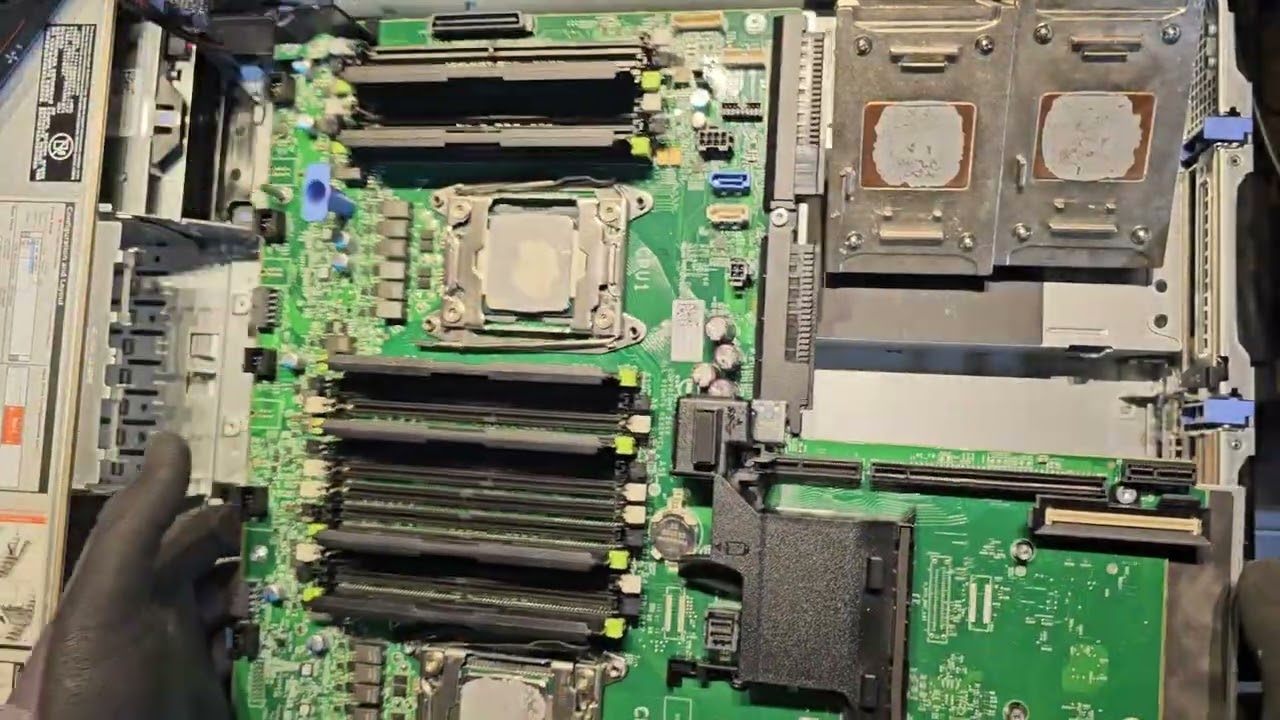
How to replace the motherboard bridge board on the XE7440 sled within a Dell EMC PowerEdge XE7100
Автор: Dell Enterprise Support
Загружено: 2021-02-23
Просмотров: 250
This video shows how to remove and install the motherboard bridge board on the XE7440 sled within a Dell EMC PowerEdge XE7100. Before you begin, power off the sled. Ensure that you always use ESD protection when working inside the system. If you need more information or assistance, go to https://www.dell.com/poweredgemanuals.
🔴 For more helpful tutorials, tips and tricks for Dell EMC Products, subscribe to our channel: http://www.youtube.com/c/DellEMCSuppo...
Want to know more about replacing parts on a Dell EMC PowerEdge XE7100 server, check out this Playlist: • PowerEdge XE7100 - Customer Replaceable Units
📺 Find our latest Video here:
/ dellemcsupport
📖 You can find our Knowledgebase filled with helpful articles here:
https://dell.to/2mgVTVj
💻 Need help? Contact our Support
Community Forums: http://www.dell.com/community
Twitter: / dellcarespro
Facebook: / dellemcsupport
Other Contact Options: http://www.dell.com/contact
Доступные форматы для скачивания:
Скачать видео mp4
-
Информация по загрузке: