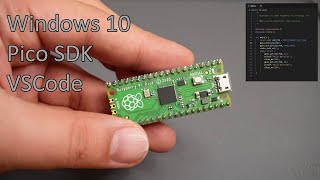
Getting started with Luckfox Pico 2 (RP2350) - Arduino, MicroPython, C via SDK, and C using VS Code
Автор: Platima Tinkers
Загружено: 2025-07-26
Просмотров: 2531
Thank you / @pcbway for sponsoring this video!
🔥 Get $5 off your first order with my referral URL: https://plati.ma/go/pcbway-S7XMXVD33c 🔥
GIVEAWAY: Just added 5x more Pico 2's to the giveaway at my own cost 😊😊 (2025-07-31)
Learn how to program the Luckfox Pico 2 with this complete beginner-friendly tutorial! This affordable Raspberry Pi Pico 2 alternative features the powerful RP2350 microcontroller with both ARM and RISC-V processor cores, making it perfect for electronics projects and DIY programming.
In this step-by-step guide, I'll show you four different ways to program this versatile SBC: using C programming for maximum performance, Python programming with Thonny IDE for easy learning, Arduino IDE for familiar development, and VS Code for professional coding. We'll build a colourful LED ring project using WS2812 addressable LEDs to demonstrate each programming method, plus I'll cover hardware setup, development environment installation, and code flashing techniques.
Whether you're new to single board computers, looking to learn programming, or want to explore embedded electronics and microcontroller development, this comprehensive tutorial will get you started with confidence. Perfect for makers, students, and hobbyists interested in electronics prototyping, embedded programming, and SBC development projects.
💳 Support me on Patreon: / platima
🛒 Buy Yours Now: https://shop.plati.ma/products/luckfo...
❤ DON'T FORGET TO LIKE AND SUBSCRIBE! ❤
🔗 Resources
Reddit Discussion: / getting_started_with_luckfox_pico_2_rp2350
Documentation: https://wiki.luckfox.com/Pico2/Downloads
Arduino: https://www.arduino.cc/
Board Address: https://github.com/earlephilhower/ard...
Thonny: https://thonny.org/
MicroPython: https://micropython.org/download/?mcu...
VS Code: https://code.visualstudio.com/
GitHub Repo: https://github.com/platima/SBC-Images...
Pico SDK: https://github.com/raspberrypi/pico-sdk
Pico Tools: https://github.com/raspberrypi/pico-s...
WS2812B Ring: https://shop.plati.ma/products/ws2812...
Dmitry on PIOs: https://dmitry.gr/?r=06.%20Thoughts&p...
🛒 Shop: https://shop.plati.ma
💵 PayPal: https://paypal.me/PlatimaCash
📺 Other Channel: / @platima
📷 Instagram: / platimatinkers
👨💻 Reddit: / platimazero
📚 Chapters
00:00 Introduction & Luckfox Pico 2 Overview
01:45 Luckfox Pico 2 Features & Pricing
03:27 Hardware Setup & Soldering
05:54 C Development & SDK Setup
11:45 Building & Flashing C Code
14:45 MicroPython with Thonny
19:06 Arduino IDE Development
23:22 VS Code Development Environment
28:45 Final Thoughts & Channel Support
📝 Claude Prompt Used
I am demonstrating a Raspberry Pi Pico 2 and need three code examples that demonstrate a rainbow running a ring of 16x WS2812's on GP28 / pin 34, which slowly gets faster and faster.
1) Arduino using FastLED
2) MicroPython
3) C (in VS Code) using FastLED
For that last one, I then want to demonstrate compiling it for ARM, and then for RISCV, so maybe if its RISCV the rainbow should run backwards. I'll need the compilation commands.
I'm running on Linux Mint Mate 21.
📑 Attributions
Exit the Premises by Kevin MacLeod http://incompetech.com
Creative Commons — Attribution 4.0 International — CC BY 4.0
Free Download / Stream: https://bit.ly/exit-the-premises
Music promoted by Audio Library • Exit the Premises – Kevin MacLeod (No Copy...
#Platima #Pico2 #RP2350

Доступные форматы для скачивания:
Скачать видео mp4
-
Информация по загрузке: