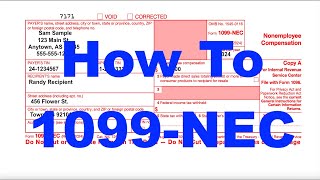
How to fill-in 1099-NEC Forms
Автор: Bette Hochberger, CPA, CGMA
Загружено: 2021-05-04
Просмотров: 44574
This video will walk you through the 2020 filing season, so in 2021 new, the 1099 NEC, 1099 Non-Employee Compensation. This form replaced 1099 Miscellaneous, or Misc. So if you have contractors, subcontractors, independent contractors, whatever you want to call them, people who are not employees, not on regular payroll, you're going to need to fill out this form to report what you paid them if it was over $600. So I figured the best thing would be to go ahead and let's walk through it together.
Most of the time, you're not going to really file these on paper anymore. The government is getting a little bit more tech-savvy these days, so it's actually easier for you and for them and everyone involved if you go ahead and find someone to do this for you electronically. There's a lot of relatively inexpensive services out there that you can find. I like track1099.com. If you just Google it, you'll find it.
So if you were going to fill this in, and you'll see this is not a fillable PDF, but basically what you're going to put in here is the payer is you, if you're the business owner or the business. You're going to put in your information. So if you have ABC Corp. and your address is 123 Main Street, et cetera, you would put all that information in.
Then in Box 1 over here, Non-Employee Compensation, you're going to put the dollar amount that you paid the individual. The payer's TIN is your business's EIN, and the recipient's TIN, it could be an EIN if it's a business. If it's an individual, it's going to be a social security number. Once in a great while you're going to have some kind of federal tax withholding.
Now you get into some of the other copies, and here you'll see you actually can fill this part in. This is not the one that goes to the federal government. It doesn't go to the IRS, so I guess they're, like, "We don't care what you send." This one's for the state tax department, so you can fill whatever information you need to fill in there, one, two, et cetera. It'll let you fill all this kind of stuff in kind of how I was walking you through it before when it wants to work. It's pretty straightforward.
There's multiple copies because there's a copy for the recipient, which would be for their records. This is for your state tax return, if you have one, again, if you're filing on paper. This is the employer or the payer. That's their copy.
If you do hand out these 1099 NEC forms on paper, you are going to have to also file this form, which is a 1096. What this is, is a summary, it's a summary form, of all the various 1099s you could possibly be filing. It might be a little hard to see on the screen, but if you pull up that form, you'll see there's so, so many different things you've probably never even heard of.
But you're going to have to find the one marked NEC, this is the red fileable copy that they don't want you to do fill in form. They want you to order the actual forms. You can get them from the IRS or you can get them from like Staples. Office Depot usually sells these, but you're going to put the filer's name is your business. It's the payer or filer, it's the same thing, street address, et cetera. Person to contact.
This is the employer identification number of your business or social security number if you're a sole proprietor and you're handing these out, and the total number of individual forms that you're filing. That would be a combination where you would have your NECs and all those. So if you have a couple of 1099 Miscellaneous, a couple 1099 NEC stick them together on the form. Then you're going to total that federal income tax withheld. Again, that's what I said. You'd probably never going to have. It's probably going to be zero. Then the total amount you're paying. So this is the little box. Let me see if I can bring that back up for you. Let's see, somewhere useful. It's this. It's not Employee Compensation box that wasn't letting me fill anything into it. This is where you're going to total all of these across, however many you have, to come up with the number for the 1096, and that's going to go over there in Box 5.
Then you have to sign it. They want a wet signature so my advice, sign it in blue so they don't kick it back and say, "Hey, this wasn't filed," title, date, all that good stuff. Then it tells you right on here, "Where are you filing this?" Yeah.
If you file it online, there is no 1096. It goes directly to the IRS system - they don't need a summary to make sure they have everything that you're claiming to send out. You have one less form to fill out if you fill these 1099s out online.
So that's it. It's a pretty easy form. Not so hard to get through. Again, totally recommend getting this done online, especially if you have a lot. Don't do them by hand. I hope that was helpful. Hope you enjoyed it. If you did, give me a like. You have any questions, drop them in the comments below, and make sure you subscribe. We'll see you next time.

Доступные форматы для скачивания:
Скачать видео mp4
-
Информация по загрузке:


![How to File Form 1099-NEC & Form 1099-Misc [1099 Filing Requirements & Deadlines] IRS' Form 1099](https://ricktube.ru/thumbnail/lYLlh85Pldg/mqdefault.jpg)