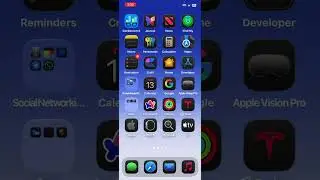
How to Listen to White Noise, Rain, and Other Background Sounds on Your iPhone or iPad | FREE Sounds
Автор: Exchanging Wisdom
Загружено: 2023-07-11
Просмотров: 18
Listen to White Noise, Rain, and Other Background Sounds on Your iPhone or iPad | FREE Sounds.
Here are the steps on how to listen to background sounds from Control Center on your iPhone or iPad:
Open the Settings app.
Tap on Accessibility.
Tap on Audio Visual.
Tap on Background Sounds.
Toggle the Background Sounds switch to On.
Choose a sound from the list.
Adjust the volume of the sound.
To open Control Center and listen to background sounds, swipe down from the top right corner of your iPhone or iPad.
Tap on the Hearing icon.
Tap on the Background Sounds button.
Here are some additional tips for using background sounds:
You can use background sounds while you're working, studying, or relaxing.
You can use background sounds to help you sleep or focus.
You can use background sounds to mask unwanted noise.
You can adjust the volume of background sounds to your liking.
You can choose from a variety of sounds, including white noise, rain, ocean waves, and birdsong.
You can also create your own custom background sounds.
🔗 Subscribe:📲 [ / @exchangingwisdom ( / @exchangingwisdom )]
🔗 Follow us on Facebook📲: [https://www.facebook.com/profile.php?... (https://
www.facebook.com/profile.php?id=100093084582621&mibextid=LQQJ4d)]
🔗 Follow us on Instagram📲: [https://instagram.com/exchanging_wisd...]

Доступные форматы для скачивания:
Скачать видео mp4
-
Информация по загрузке: