UE5 Lerp Over Time Notify State (ONE OF THE MOST POWERFUL & SIMPLE FUNCTIONS!!!)
Автор: Artofficial Entertainment
Загружено: 2026-01-18
Просмотров: 37
Hey everyone! Back with a brand new tutorial after a while showing you how to make one of the most simple yet powerful functions ive come across - using animation notify windows to create a useable lerp value over that window duration.
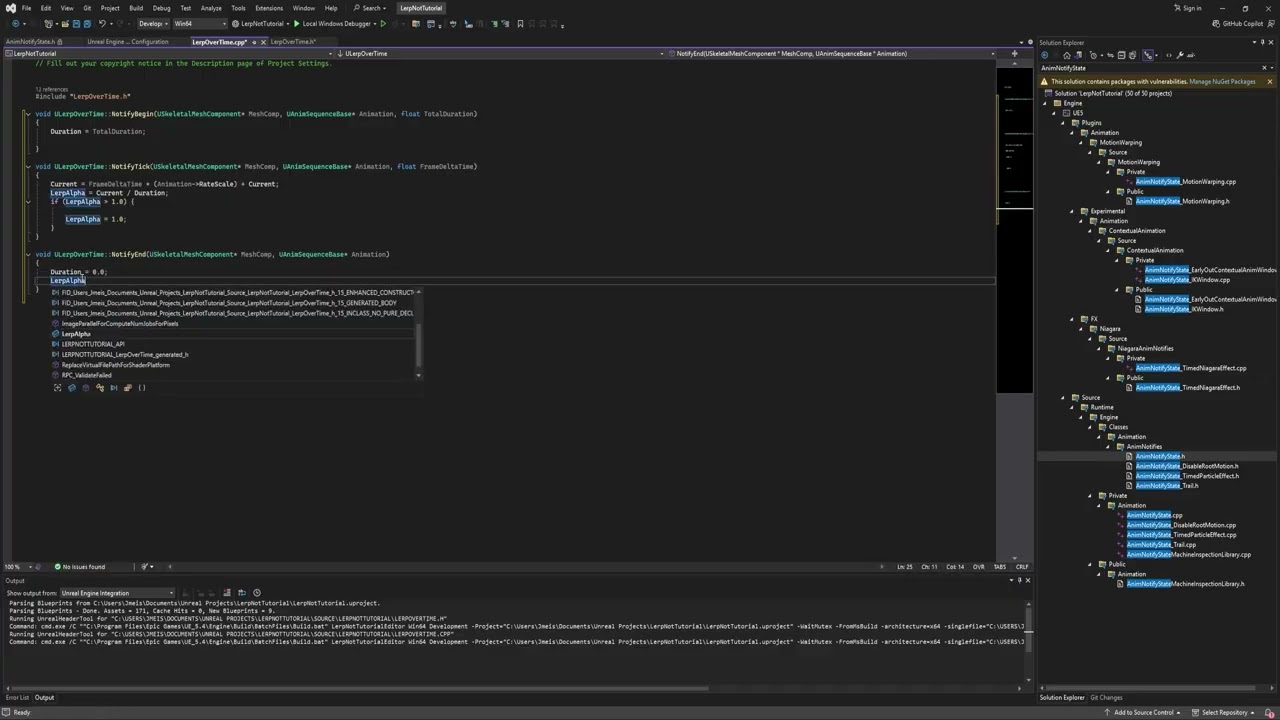
In this video we will be using C++ to make a very simple function that will output a value from 0 to 1 over the windows duration. Allowing you to easily lerp transforms, vectors, rotators, floats, or even multiply a value over the window duration! So many possibilities with something so simple! I will also show you how to easily modify the function to instead go from 0 to 1 and back to 0 over that same duration!
Function Calls:
virtual void NotifyBegin(USkeletalMeshComponent* MeshComp, UAnimSequenceBase* Animation, float TotalDuration);
virtual void NotifyTick(USkeletalMeshComponent* MeshComp, UAnimSequenceBase* Animation, float FrameDeltaTime);
virtual void NotifyEnd(USkeletalMeshComponent* MeshComp, UAnimSequenceBase* Animation);
DiscordLink: Discord: / discord
Software Used for Video:
Visual Studio 2022 (Code Editor)
Unreal Engine 5.4 (Game Dev Platform)
OBS (Screen Capture Software)
Nivida Broadcast (Audio cleaning)
Adobe Premiere (Video Editing)
Chapters:
0:00 - Intro
0:23 - Example Use
1:37 - Project Overview
2:29 - Create Notify Class
4:29 - Find & Add Function Calls
6:43 - Create Variables
9:13 - Creating Lerp Functionality
13:29 - Using Notify in Project
15:36 - Modifying Lerp to go from 0 to 1 and back to 0
18:29 - Modification Demonstration
21:03 - (TIP)MakingNotifyReusable
23:40 - Outro
Доступные форматы для скачивания:
Скачать видео mp4
-
Информация по загрузке: