Deploy Software Updates with SCCM - Setup and Configure Automatic Deployment Rules (ADR)
Автор: the Sysadmin Channel
Загружено: 2018-09-15
Просмотров: 37435
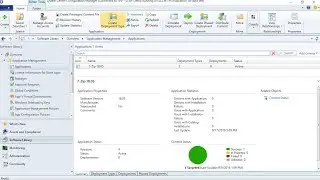
In this video we go over how to deploy software updates with SCCM and how to setup automatic deployment rules (ADR) so you can automate the process. I go over the steps to install the WSUS role on Windows Server as well as how to configure the SUP (Software update Point) role within SCCM. I will also show you step by step how to create Software Update Groups so you can use that as your group to deploy windows updates. Next we will go through Syncing with Microsoft update so you will be able to update your Updates Catalog. Once that is configured we go over setting up maintenance windows and restart times for the client settings so that the updates will install during the hours that you specify. The logs you would want to look for are the deploymentupdates.log, updatestore.log and the ruleegnine.log
If you're looking to expand your SCCM knowledge go ahead and take a look at the book:
##Books
SCCM Unleashed: https://amzn.to/2QzCKs7
SCCM in a Month of Lunches: https://amzn.to/2v6PMXt
##Equipment
Rode NT-USB USB Microphone: https://amzn.to/2MYfTIK
Finally don't forget to head on over to https://thesysadminchannel.com/ for more awesome content.
00:00 Intro to Video
00:15 Install WSUS Role on Windows Server
01:35 Setup and configure WSUS database
05:05 SCCM pre-check client settings
06:02 Create site system server and add software update role
09:51 Post role setup checks
12:12 Create Software update saved query
14:46 Create software update group collection groups for deployments
18:54 Create custom client settings and maintenance windows
21:12 Deploy Software update groups to collections
25:38 Software update demo on Win 7 machine
28:43 Setup ADRs (Automatic Deployment Rules)
35:47 Run ADR and check ADR logs
36:12 ADR Updates DEMO

Доступные форматы для скачивания:
Скачать видео mp4
-
Информация по загрузке: