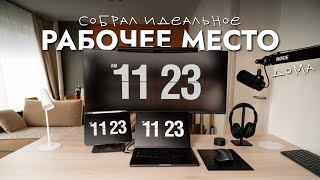
Productivity Desk Setup for Remote Working for General Practice and Beyond in 2021
Автор: GP ON THE MOVE
Загружено: 2021-11-07
Просмотров: 1672
This video shows you the five must haves in my productivity desk setup for remote working in 2021 for General Practice but also in my University teaching job which often happens on Zoom. Let me show you the things to invest in, to maybe even start enjoying remote working a little bit.
TIMESTAMPS
0:00 - 0. Welcome
0:50 - 1. Bum
1:28 - 2. Neck
1:54 - 3. Fingers
2:30 - 4. Hand
3:00 - 5. BONUS - The Ring to Rule Them All
WHO AM I:
I'm Mike, a general practitioner working in Greater Manchester, UK. I'm also a music producer and medical university tutor. I make videos about medicine and productivity and I am the author of the now sold out medical audiobook "CSA On The Move: A Practical Audio Guide to the Clinical Management of Common RCGP CSA Scenarios" and the available second edition "GP On The Move".
💌 Sign up to my monthly email newsletter - https://winning-trader-3594.ck.page/e...
🌍 My website - https://www.gponthemove.com
🐦 Twitter - / gponthemoveuk
📸 Instagram - / gponthemoveuk
5 Must Haves of Remote Working:
🆂 Office Chair - https://secretlab.co.uk/
📇 Riser - https://amzn.to/2Y66N3p
💻 Keyboard - https://amzn.to/3nM5lMq
🖱 Mouse - https://amzn.to/3pXe6G8
📡 Internet Adapter - https://amzn.to/2ZCzd5o
I will present to you 5 items in order of importance, but will actually leave the absolute most important item for last - and if you don’t want to wait you can use the chapters below to get straight to it.
1. Without going into too much detail, I had the most horrible coccygodynia when I started working from home in my 10 year old IKEA office chair and I even bought a well researched fanny cushion to try to help. Well, 6 months later of constant pain and I got fed and got a proper office chair. Within 2 weeks - my pain was but a distant memory. Yup - Secret Lab - choose the according to your height - so I have the Titan because I am 187cm tall. Oh my lord, it is like heaven on my a*&. Retail - £399
2. Riser - now in this video - which is one of my first, so it still makes me cringe a bit, I demonstrate the easiest way to acquire what is lovingly referred to nowadays as zoom neck, so basically hunching over your laptop or iPad. I bought this riser and it is exactly what I need to maintain good posture on those dreaded teams or zoom calls. Retail - £40
3. If you are using a riser, which you must quite frankly, you need a separate keyboard, because you can’t really type on a riser, I think because it’s actually dangerous. This wireless logitech keyboard is just amazing, I do my touch typing practice on it, the keys feels just feel great - right ok, we are in proper nerd territory if we are commenting on the feel of the keys - and it has this amazing function - by clicking 1 or 2 here, I can switch from it being paired to my laptop which is a Mac, and my GP practice laptop which is a PC, and it works seamlessly. So I would highly recommend it. Retail £99.99
4. Next is a mouse, I’m not being funny here, but no one should be using their laptop touchpad - unless you are practicing your Halloween Witch hand. So, again, I went for wireless because I just like my desk nice and tidy, and this mouse also has the computer switching function. Finally, it’s big enough to fit comfortably in my hand, unlike the apple wireless mice that just feel too small to be honest. Retail £59.99
5. I promised you a bonus at the end - this is the single most important item you need to survive remote working. It took me about 6 months of interrupted zoom meetings and about 4-5 panicked calls to my broad supplier to realise it, but once I got it - it was a life changing. And only £29.99. It is a TP Link Powerline Adaptor. You honestly cannot continue without this.
So it comes as a pair of 2 devices and they both plug into power sockets - one socket next to your router and the other in the room with your computer. The with provided ethernet cables - which are like internet cables - you rely on cable internet rather than WiFi. I have never had crackly zoom line since. It’s like magic.
- If you want to support GP On The Move - please use the affiliate links at no extra cost to yourself. If you do not want to, feel free to google these cool items and you will be able to get them as well. Whatever you decide, in my opinion, these are the best and I hope you found this video useful!
#generalpractice #workflowtips #loveremoteworking

Доступные форматы для скачивания:
Скачать видео mp4
-
Информация по загрузке: