Популярное

Музыка Кино и Анимация Автомобили Животные Спорт Путешествия Игры Юмор

Интересные видео

2025 Сериалы Трейлеры Новости Как сделать Видеоуроки Diy своими руками

Топ запросов

смотреть а4 schoolboy runaway турецкий сериал смотреть мультфильмы эдисон
dTub
Скачать

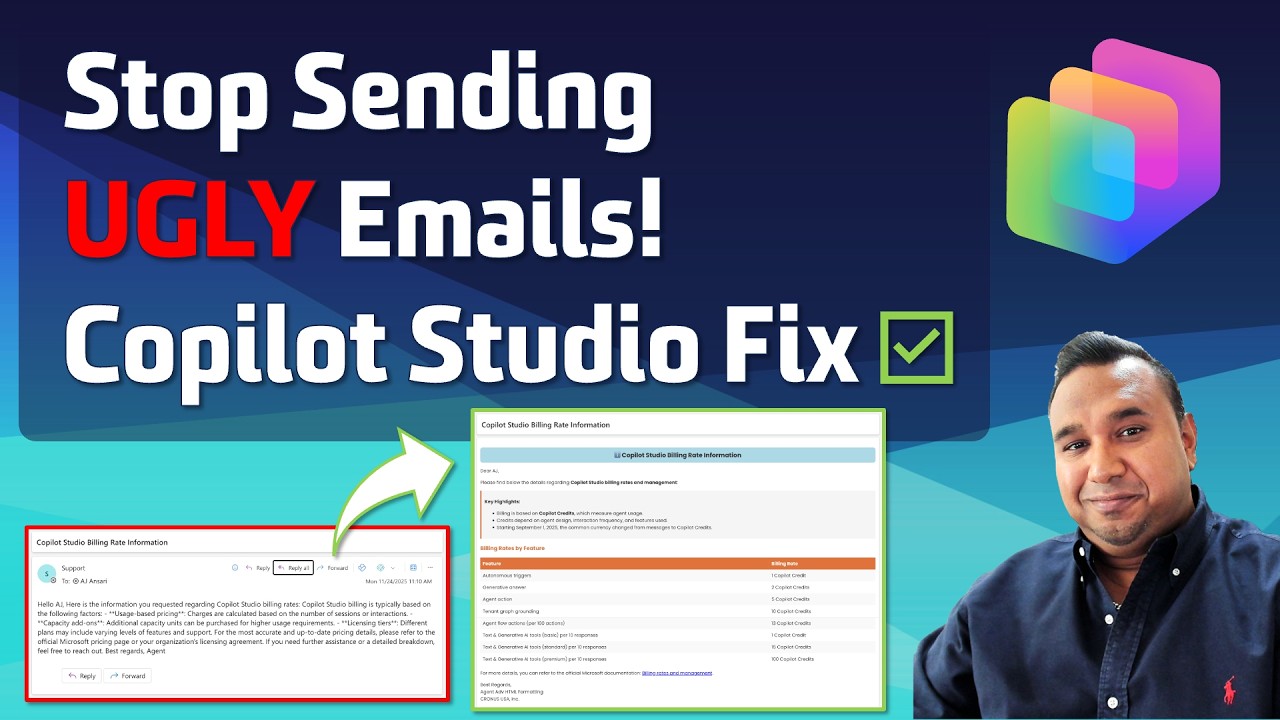
How to Format Copilot Studio Emails with HTML: Tables, Colors & Signatures - AJ Ansari

Автор: AJ Ansari - OnlyCopilotFans

Загружено: 2025-11-24

Просмотров: 245

Описание:

Unlock professional, HTML-formatted emails from your Microsoft Copilot Studio agents instead of ugly, plain-text walls of text.

In this video, AJ Ansari shows you step-by-step how to turn Copilot Studio emails from basic, unformatted blobs into polished, branded messages with tables, colors, banners, signatures, and more. Whether you’re using the Office 365 Outlook MCP server, the standard Office 365 Outlook connector, or Gmail, you’ll learn how to get your agents to output real HTML that renders correctly in modern email clients.

You’ll see three stages:

1. A simple agent that sends plain emails with no HTML.
2. A slightly improved agent that uses basic HTML formatting and a better signature.
3. A fully optimized agent using detailed system instructions to generate beautiful HTML emails with:
Headline banners and icons
Corporate colors and fonts
Alternating table rows
Proper currency formatting
Highlight boxes for key information
A professional signature

We also walk through a real example where Copilot Studio pulls live customer data (customer name, salesperson code, and balance due) and sends it as a formatted HTML table with totals, so your emails look like real reports—not quick-and-dirty text dumps.

If you’re building Copilot Studio agents that send reports, notifications, approvals, or customer updates, this video will help you make your emails readable, on-brand, and much more effective.

Download the Agent Instructions shown in the video from AJ's GitHub repo:
https://github.com/ajansari/mcsHtmlFo...

📩 What you’ll learn:

Why Copilot Studio emails often arrive as plain text
How to force your agent to use HTML formatting
How to design a reusable “email formatting” process in system instructions
How to add banners, icons, colors, and highlight boxes
How to use table-based layouts and inline styles for email client compatibility
How to format currency and totals for financial data
How to add dynamic, branded signatures using variables like system.bot.name

👉 If you build Copilot Studio agents for internal teams or customers, this is a must-watch to level up the quality and impact of every email your agents send.

Chapters:
00:00 Intro: What you expect vs. what you get
01:12 Demo & Why: Plain-text emails from Copilot Studio agent
01:57 Basic: Add basic HTML formatting to Copilot Studio emails
03:28 Advanced: Creating an "Email Formatting" process
07:03 The finished product: Professional looking emails from Copilot Studio
07:34 Wrap-up
How to Format Copilot Studio Emails with HTML: Tables, Colors & Signatures - AJ Ansari

Поделиться в:

Доступные форматы для скачивания:

Скачать видео mp4

  • Информация по загрузке:

Скачать аудио mp3

Похожие видео

Я 1535 дней веду заметки в Obsidian — вот что реально работает!

Я 1535 дней веду заметки в Obsidian — вот что реально работает!

Как получить легальный Microsoft Office бесплатно

Как получить легальный Microsoft Office бесплатно

Учебное пособие по Microsoft 365 Copilot для начинающих (2026 год)

Учебное пособие по Microsoft 365 Copilot для начинающих (2026 год)

Прекратите создавать новые учетные записи Gmail — сделайте вместо этого вот что.

Прекратите создавать новые учетные записи Gmail — сделайте вместо этого вот что.

This Copilot Agent ANSWERS Your EMAILS! Build it in Microsoft Copilot Studio By a Microsoft Engineer

This Copilot Agent ANSWERS Your EMAILS! Build it in Microsoft Copilot Studio By a Microsoft Engineer

Code Interpreter in Copilot Studio: Generate Charts, Files & Automate Analysis - AJ Ansari

Code Interpreter in Copilot Studio: Generate Charts, Files & Automate Analysis - AJ Ansari

5 новых функций Microsoft Teams, которые вам действительно пригодятся.

5 новых функций Microsoft Teams, которые вам действительно пригодятся.

Заявление о победе в войне / Путин выступил с обращением

Заявление о победе в войне / Путин выступил с обращением

Copilot Studio Autonomous Agents for Email Intro and Demo #copilotstudio

Copilot Studio Autonomous Agents for Email Intro and Demo #copilotstudio

How to Add Deep Links to Business Central Records in Copilot Studio (Step-by-Step Tutorial)

How to Add Deep Links to Business Central Records in Copilot Studio (Step-by-Step Tutorial)

Copilot теперь включен в Word, Excel, PowerPoint, Outlook и OneNote | Microsoft 365 и Office 365

Copilot теперь включен в Word, Excel, PowerPoint, Outlook и OneNote | Microsoft 365 и Office 365

НОВЫЙ агент Copilot Workflows автоматизирует вашу работу (полное руководство)

НОВЫЙ агент Copilot Workflows автоматизирует вашу работу (полное руководство)

Сисадмины больше не нужны? Gemini настраивает Linux сервер и устанавливает cтек N8N. ЭТО ЗАКОННО?

Сисадмины больше не нужны? Gemini настраивает Linux сервер и устанавливает cтек N8N. ЭТО ЗАКОННО?

Vintage Floral Free Tv Art Wallpaper Screensaver Home Decor Samsung Oil Painting Digital Wildflower

Vintage Floral Free Tv Art Wallpaper Screensaver Home Decor Samsung Oil Painting Digital Wildflower

Build Your First AI Agent That Can Send Emails (Copilot Agent)

Build Your First AI Agent That Can Send Emails (Copilot Agent)

FFmpeg: бесплатный видеоконвертер из командной строки

FFmpeg: бесплатный видеоконвертер из командной строки

The Windows 11 Disaster That's Killing Microsoft

The Windows 11 Disaster That's Killing Microsoft

Google превратил Gmail в центр управления искусственным интеллектом.

Google превратил Gmail в центр управления искусственным интеллектом.

How to Build an Autonomous Agent in Copilot Studio (Step-by-Step Tutorial)

How to Build an Autonomous Agent in Copilot Studio (Step-by-Step Tutorial)

ПЕРЕСТАНЬ ПЛАТИТЬ за Cursor AI. Используй эту БЕСПЛАТНУЮ и ЛОКАЛЬНУЮ альтернативу | VSCode+Roo Code

ПЕРЕСТАНЬ ПЛАТИТЬ за Cursor AI. Используй эту БЕСПЛАТНУЮ и ЛОКАЛЬНУЮ альтернативу | VSCode+Roo Code

© 2025 dtub. Все права защищены.


  • Контакты
  • О нас
  • Политика конфиденциальности


Контакты для правообладателей: infodtube@gmail.com