Digital Clock in Excel: How to Create Digital Clock in Microsoft Excel
Автор: KnowHow
Загружено: 2023-06-18
Просмотров: 12951
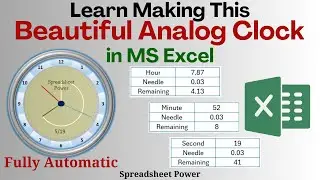
In this exciting Excel tutorial, we'll show you how to create a live clock in Excel, allowing you to track time with precision and accuracy. Whether you need a real-time clock for personal use, project management, or simply want to enhance your Excel skills, this video is for you.
Join us as we guide you step-by-step through the process of building a dynamic clock using Excel's powerful formulas and functions. You'll learn how to extract the current time from your computer's clock and display it live in an Excel spreadsheet. Say goodbye to manual updates and say hello to automated timekeeping!
We'll explore various techniques, including using the NOW function, formatting cells, and creating custom date and time formats. You'll also discover how to customize your clock's appearance, such as choosing different fonts, colors, and sizes.
By the end of this tutorial, you'll have a fully functional live clock that updates in real-time, providing you with accurate timekeeping right within your Excel workbook. Impress your colleagues, boost your productivity, and streamline your time management with this handy Excel trick.
Don't forget to subscribe to our channel for more Excel tutorials, tips, and tricks. If you found this video helpful, please give it a thumbs up and share it with others who might benefit from this time-tracking solution. Let's dive in and create a live clock in Excel together!
Timestamps:
00:00 - Introduction
00:12 - Setting up the live clock Using the NOW function
00:26 – Formatting cells for time display
00:38 - Customizing clock appearance
01:07 - Updating the clock in real-time
03:32 - Saving Macro Enabled Workbook
03:56 - Conclusion and final thoughts

Доступные форматы для скачивания:
Скачать видео mp4
-
Информация по загрузке: