Venafi TPP with Google CAS
Автор: Tal Kushnirsky
Загружено: 2024-07-08
Просмотров: 258
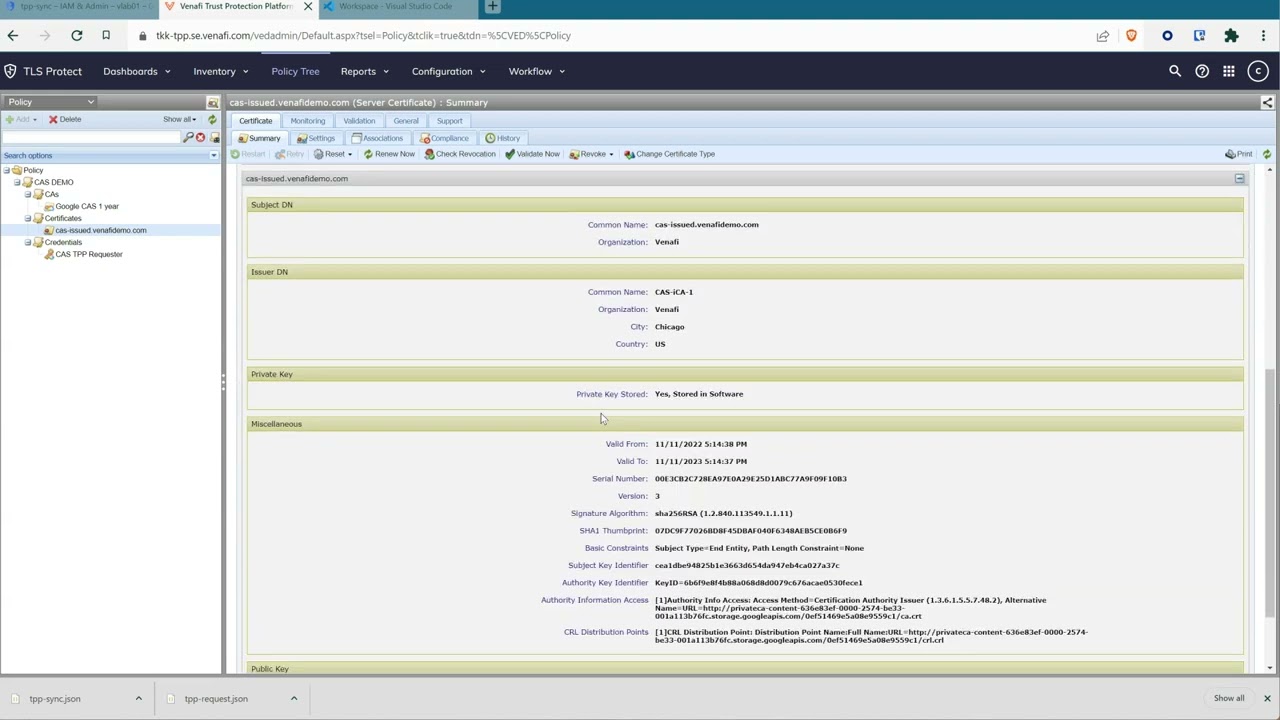
Discover how to seamlessly integrate Venafi Trust Protection Platform (TPP) with Google Private Certificate Authority services. Watch as he configures CA pools, generates certificates, and sets up service accounts for synchronization and certificate requests. Learn how to define authentication keys, configure Venafi to utilize Google CA as the backend for private certificates, and effectively manage certificates through Venafi's platform. Join Tom as he showcases the essential steps to establish a smooth integration between Venafi and Google CA, streamlining certificate management within a unified platform.
Video Timestamps:
0:09 - Configure new CA pool
1:25 - Create CA pool
2:27 - Discover certificates
6:07 - Create CA template
7:30 - Configure onboarding Discovery
9:27 - Import certificate
Key Takeaways:
🔒 Seamless Integration: Tom showcases Venafi's integration with Google Private Certificate Authority, including CA pool setup, certificate generation, and authentication configuration
🔑 Efficient Certificate Management: Tom's demonstration covers service account setup, key definition, and onboarding discovery for effective certificate management
🚀 Streamlined Process: Tom's detailed walkthrough ensures a smooth integration between Venafi and Google CA, enhancing certificate management efficiency
Commands mentioned in this clip:
gcloud config set privateca/location us-central1
gcloud config set project tppintegration
gcloud privateca pools create VenafiLab
gcloud privateca roots create iCA-1 --pool VenafiLab --auto-enable --subject "CN=CAS-iCA-1,O=Venafi,L=Chicago,C=US"
gcloud privateca roots create iCA-2 --pool VenafiLab --auto-enable --subject "CN=CAS-iCA-2,O=Venafi,L=Chicago,C=US"
export CLOUDSDK_PYTHON_SITEPACKAGES=1
gcloud privateca certificates create 123-123-123 --issuer-pool=VenafiLab --generate-key --key-output-file=./key.pem --cert-output-file=./cert.cer --use-preset-profile=leaf_server_tls --subject=CN=cert01.vlab.com,O=Venafi,C=US --dns-san=www.example.com
Create Service Accounts and grant appropriate permissions:
gcloud iam service-accounts create tpp-request
gcloud iam service-accounts create tpp-sync
gcloud privateca pools add-iam-policy-binding VenafiLab --member='serviceAccount:tpp-request@tppintegration.iam.gserviceaccount.com' --role='roles/privateca.certificateManager'
gcloud projects add-iam-policy-binding tppintegration --member="serviceAccount:tpp-sync@tppintegration.iam.gserviceaccount.com" --role="roles/certificatemanager.viewer"
gcloud privateca pools add-iam-policy-binding VenafiLab --member='serviceAccount:tpp-sync@tppintegration.iam.gserviceaccount.com' --role='roles/privateca.auditor'
Доступные форматы для скачивания:
Скачать видео mp4
-
Информация по загрузке: