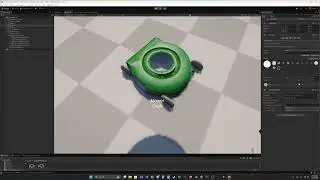
EASIEST Way to Make a Unity Third-Person Game
Автор: Stylish Esper
Загружено: 2025-08-21
Просмотров: 6102
OVERVIEW
New to Unity? Let’s build a third-person character controller together!
In this beginner-friendly tutorial, I’ll guide you step by step through creating a simple third-person controller in Unity. No prior experience needed! We’ll cover:
📷 Cinemachine – setting up an easy third-person camera.
🎮 Unity Input System (cross-platform) – handling movement with keyboard, mouse, or controller.
🕺 Animator – adding basic character animations and transitions.
⚙️ Character Controller scripting – writing simple code for smooth player movement.
By the end of this tutorial, you’ll have your very own third-person character controller that you can use as a foundation for your games.
VIDEO LINKS
Unity Starter Assets: https://assetstore.unity.com/packages...
Mixamo: www.mixamo.com
MY LINKS
My Unity Assets: https://assetstore.unity.com/publishe...
Join The Discord: / discord
Hire Me: https://www.fiverr.com/lostincode
My Website: https://www.stylishesper.com
/ stylishesper
/ stylishesper
CHAPTERS
00:00 - Intro
01:52 - Prerequisites
02:51 - Install Packages
03:49 - Scene Setup
04:24 - Cinemachine
05:58 - Input System
08:58 - Animator
13:32 - Components
14:09 - Scripting
32:55 - Testing
33:29 - Closing

Доступные форматы для скачивания:
Скачать видео mp4
-
Информация по загрузке: