DHCP Server Using Cisco Router | CCNA Practical Lab
Автор: EEE TV
Загружено: 2025-12-20
Просмотров: 2
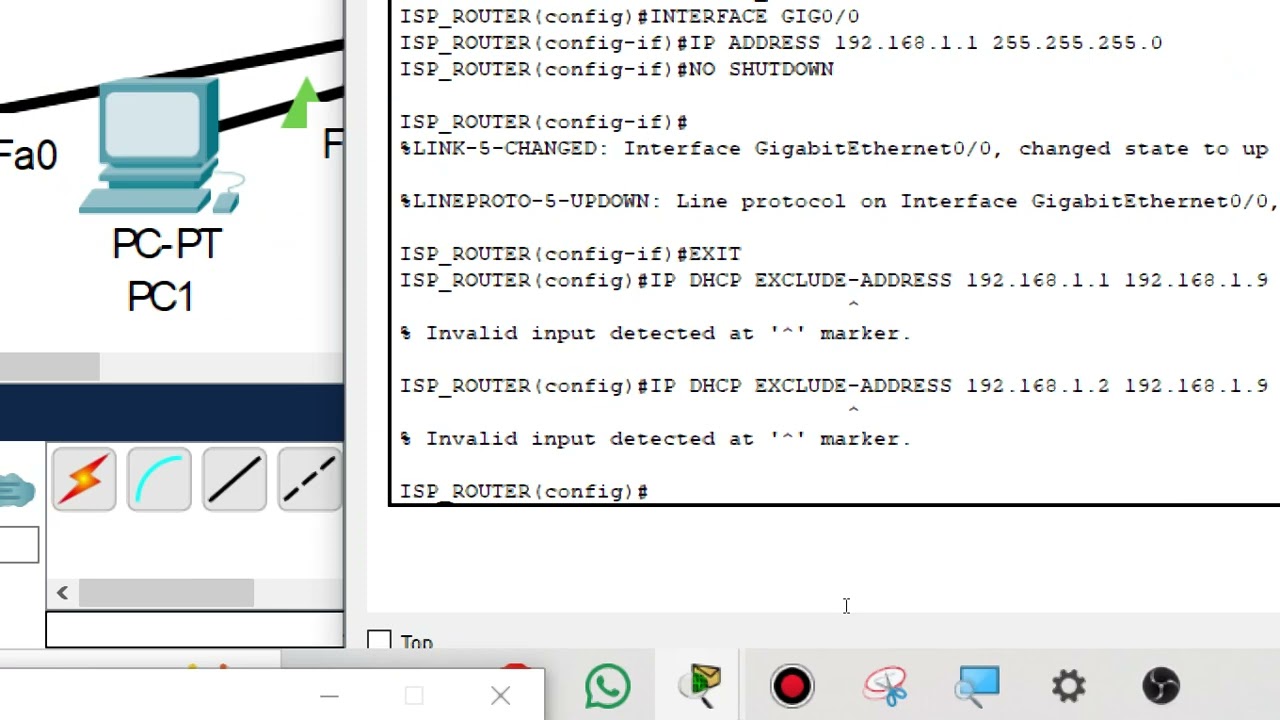
In this video, you will learn how to configure DHCP using a Cisco router in Cisco Packet Tracer. This step-by-step lab shows how to set up a DHCP pool, assign IP addresses automatically to PCs, configure the default gateway, DNS server, and verify the DHCP bindings.
This tutorial is perfect for CCNA students, networking beginners, engineering and diploma learners, and anyone practicing basic networking labs in Packet Tracer.
What You Will Learn
What DHCP is and how it works
How to configure DHCP on a Cisco router
Excluding IP addresses
Creating a DHCP pool
Setting the default gateway and DNS server
Testing and verifying DHCP assignments
Troubleshooting DHCP issues
Commands Used
ip dhcp excluded-address 192.168.1.1 192.168.1.10
ip dhcp pool LANPOOL
network 192.168.1.0 255.255.255.0
default-router 192.168.1.1
dns-server 8.8.8.8
show ip dhcp binding
show ip dhcp pool
Support the Channel
If this tutorial helped you
Like
Share
Comment
Subscribe for more CCNA and Packet Tracer labs
🔖 Hashtags (Copy & Paste, No Angled Brackets)
#DHCP #CiscoPacketTracer #CiscoRouter #CCNA #NetworkingBasics
#DHCPConfiguration #PacketTracerLab #CiscoTraining #ComputerNetworking
#RoutingAndSwitching #CCNA200301 #NetworkingForBeginners
#DHCPServer #CiscoConfiguration #ITStudents
Доступные форматы для скачивания:
Скачать видео mp4
-
Информация по загрузке: