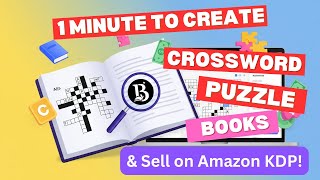
How to Create Crossword Puzzle Books Artistly AI
Автор: Anthony Godinho
Загружено: 2025-12-18
Просмотров: 26
In this tutorial, you will learn How to Create Children’s Crossword Puzzle Books in Artistly AI which is a versatile cloud-based generative AI design platform. With Artistly you can create stunning images, logos and T-shirt designs, storybooks, coloring books, and so much more with simple AI prompts.
You can even create kids and adult flipbook storybooks and coloring books. The Artistly team continues to add more features and improve this AI app on a regular basis. In December 2025, they added a new category of Kids Puzzles which allow you to create different types of children’s activity books like maze puzzles, crossword puzzles, word search puzzles and several others.
In this tutorial, I walk you through the process step-by-step on how to create a children’s crossword puzzle book. There are two parts of creating the crossword puzzle book. First you need to generate the puzzle pages; and in part 2, you need to generate a flipbook that will create PDF downloads for printing as well as a separate one for Amazon KDP, if you want to sell your crossword puzzle books on Amazon.
To create the crossword puzzle pages: (1) log into your Artistly account; (2) click on Create Design; (3) choose Fast AI Image Designer; (4) go to the AI Kids Puzzles section; (5) click on Crossword Puzzle; (6) choose a page template, theme, and page numbers; (7) and click on Generate. Once you do so, it will generate all the puzzles pages.
Note that the solutions pages will appear only once you create the flipbook. You can also create a book cover. I've created a separate tutorial on How to Create a Book Cover in Artistly. Make sure the book cover is in 3:4 aspect ratio.
To create the flipbook: (1) go to the Personal Designs section; (2) click on the Kids Puzzles tab; (3) check the box on any one of the crossword puzzles and it will automatically select all the corresponding pages; (4) click on Create Flipbook; (5) from the pop-up dialog box, enter the book title, upload a book cover, and click on Generate Flipbook.
Once you do so, it will generate the flipbook and you'll have options to download a PDF document for printing. You will also get a separate KDP-ready PDF download if you want to sell your maze puzzle books on Amazon.
Apart from this Artistly AI tutorial, I have also created several step-by-step tutorials to help you use Artistly AI to create powerful, attention-grabbing AI-generated images and design. To get Artistly AI and VideoExpress AI at a discounted price and watch it in action check the links below.
NOTE: Unlike most AI apps, Artistly doesn’t limit you with AI credits. You have unlimited use of the features and rendering. However, to prevent abuse and bots from abusing the system, there is a limit of 400 images per day. You can delete unwanted images that you do not require or download them to your local drive and delete them.
Buy Artistly AI: https://tinyurl.com/Try-ArtistlyAI
Artistly AI Tutorials: https://tinyurl.com/Artistly-Tutorials
• How to Create Book Cover in Artistly AI
• How to Create Children's Maze Puzzle Book ...
• How to Create Word Search Puzzle Books Art...
CREDITS: Artistly AI logos and screenshots are copyright protected, used with permission | Commercial rights to use video backgrounds, images, graphics and animations unless otherwise mentioned | Microsoft, Windows, and the Windows logo are trademarks, or registered trademarks of Microsoft Corporation in the United States and/or other countries | Other names may be trademarks of their respective owners.
MUSIC CREDITS:
Song Title: Inevitable by Diamond Ortiz
Source: YouTube Audio Library (for use on monetized videos)
AFFILIATE DISCLAIMER: If you use the link above to purchase the product. I may earn a commission as an affiliate. This recommendation and review is based on my firsthand experience using this product myself.

Доступные форматы для скачивания:
Скачать видео mp4
-
Информация по загрузке: